Category: Tech News

  • Touchscreen MacBook: Apple’s Oct 28 Launch & M6 Macs

    Touchscreen MacBook: Apple’s Oct 28 Launch & M6 Macs

    Apple is about to reverse one of its most famous design stances. Bloomberg’s Mark Gurman reported yesterday that the company has started inviting selected media to an all-day product launch experience in Los Angeles on Wednesday, October 28 — and the headline act is expected to be the first-ever touchscreen MacBook, alongside M6 Macs and a new iPad mini.

    For more than a decade, Apple has insisted that touch belongs on the iPad, not on a laptop screen — while Windows laptops added touchscreens years ago. If the reports hold, October 28 ends that argument. Here’s what we know about the touchscreen MacBook launch and everything else expected at Apple’s second October event.

    The Apple October 28 Event: What and When

    According to Gurman, Apple is inviting select media to an all-day product launch experience on October 28 in Los Angeles. The format matters: rather than a conventional streamed keynote, Apple appears to be planning a hands-on experience built around giving journalists extended time with the new hardware — continuing the company’s recent shift toward smaller, in-person product reveals. The Apple Post notes this follows Apple’s October 13 smart-home launch, where journalists were invited to a 9 a.m. session in Tribeca, New York, and pre-orders opened the same day. If that pattern holds, products could be announced publicly on or around October 27 — likely through an online video — followed by the October 28 press demos.

    The expected lineup: the first touchscreen MacBook models, a new iPad mini, and Macs equipped with the M6 chip.

    Touchscreen MacBook Pro: The Specs We Expect

    The touchscreen MacBook is expected to arrive as redesigned 14-inch and 16-inch MacBook Pro models — reports say Apple will keep the MacBook Pro name rather than launching a separate “MacBook Ultra” line, as earlier leaks had floated. The key upgrades:

    • OLED touchscreen displays — the biggest single change, bringing the MacBook’s panel tech in line with modern Windows laptops (and with the OLED screens Apple is already shipping on other products).
    • A Dynamic Island in place of the notch, mirroring the iPhone’s design language.
    • A much lighter body, with a full redesign of the chassis.
    • M5 Pro and M5 Max chips — not the M6, since Apple reportedly has no M6 Pro or M6 Max planned. The newest chip goes to the conventional 14-inch MacBook Pro and the iMac instead.

    The software story is the part nobody has reported in detail yet. A touchscreen MacBook will need new macOS touch interactions, and Apple has historically guarded the “Mac-like” experience while putting touch on iPadOS. Expect new system gestures and possibly touch-optimized app controls — that’s the reveal to watch for, since the hardware rumors are already well mapped.

    M6 Macs: The First 2-Nanometer Apple Silicon

    The M6 is Apple’s first 2-nanometer chip — it debuted in the Mac mini on August 25, 2026 — and the October 28 event is expected to spread it further:

    • A standard 14-inch MacBook Pro with the M6.
    • A refreshed iMac with the M6 — the first iMac refresh in a while.

    For context, this means the fall 2026 Mac lineup could split cleanly: the touchscreen MacBook Pros on M5 Pro/Max, and the conventional models on the newer M6. If you’re about to buy a 14-inch MacBook Pro or an iMac, the two-week wait looks very worthwhile.

    New iPad Mini: OLED, Landscape Camera, Higher Price?

    The touchscreen MacBook isn’t the only iPad-line upgrade on the table. The next-generation iPad mini is expected to move to an 8.4-inch OLED display, with the front camera relocated to the landscape edge for video calls, a redesigned speaker system, thinner bezels — and possibly an A20 chip. The Trends data backs the early interest: “ipad mini 8” just appeared on Google Trends’ US Technology list as a fresh mover.

    One catch: Gurman has said the new iPad mini could be considerably more expensive, possibly around $799 — about $200 more than the current model. At that price it would sit uncomfortably close to the iPad Air, and buyers will have to decide whether OLED is worth the premium in a compact tablet.

    Why This Touchscreen MacBook Launch Is a Big Deal

    Let’s put the timeline in perspective. Apple executives spent years arguing that touch on a laptop would compromise the Mac experience — while touchscreens became standard on premium Windows machines, Chromebooks, and even Apple’s own iPad Pro lineup (the closest thing to a touch Mac most people have owned). The touchscreen MacBook is, by Gurman’s framing, one of the biggest changes to the Mac in years — up there with the PowerBook’s debut and the Apple Silicon transition.

    It also closes out a relentless October for Apple. On October 13 the company launched its HomeView smart home display, the Apple TV 4K (4th gen) and the HomePod mini 2 — and earlier today Apple’s first foldable, the iPhone Duo, went on pre-order at $1,999. The October 28 event would make it three major launch waves in one month.

    Should You Wait for the Touchscreen MacBook?

    If you’re in the market for a new Mac or iPad, the answer is almost certainly yes — the announcements are less than two weeks away:

    • Wait if you’re buying a 14-inch MacBook Pro (M6 refresh coming), a 16-inch MacBook Pro (touchscreen + OLED redesign), an iMac (M6 refresh), or an iPad mini (OLED redesign).
    • Buy now only if you need a machine today — current M5 models are excellent, and new hardware typically ships weeks after announcement.

    Bottom line: the touchscreen MacBook is Apple’s most consequential Mac reversal in years, and the October 28 launch experience should bring it together with the M6 iMac and a redesigned iPad mini. We’ll update this story when Apple confirms the details.

  • iPhone Duo Pre-Order: $1,999 Price, Specs & Ship Date

    iPhone Duo Pre-Order: $1,999 Price, Specs & Ship Date

    Apple’s first foldable is finally orderable. The iPhone Duo pre-order opened this morning — Friday, October 16, 2026 at 5:00 a.m. Pacific — through Apple’s online storefront and the Apple Store app, in more than 70 countries and regions. This is the last of the three iPhones Apple announced on September 9 to go on sale; the iPhone 18 Pro and 18 Pro Max have been in shops since September 18.

    Starting at $1,999 for 256GB, the Duo is the most expensive mainstream iPhone configuration Apple has ever launched. And if supplier reports are right, it could sell out fast. Here’s everything in the iPhone Duo pre-order — prices, specs, ship date, and how to get one before day-one stock runs out.

    iPhone Duo Pre-Order: Price, Colors and Storage

    The iPhone Duo pre-order price starts at $1,999 for the base 256GB model, with four storage tiers:

    • 256GB — $1,999
    • 512GB — $2,199
    • 1TB — $2,599
    • 2TB — $3,199

    It comes in two colors: star white and night sky. Apple is also taking orders for two accessories today: the iPhone Duo Case ($79) and the iPhone Duo Folio with Kickstand ($129).

    A few ways to bring the effective price down, per Apple:

    • Trade-in: save $175 to $885 by trading in an eligible iPhone 13 or newer.
    • Apple Upgrade: a Klarna-run lease program with pricing from $57.99 per month over 24 months.
    • Carrier deals: Verizon, AT&T and T-Mobile are all accepting pre-orders with their own trade-in offers — read the fine print on those, since carrier discounts often lock you into installment plans.

    iPhone Duo Specs: Apple’s First Foldable

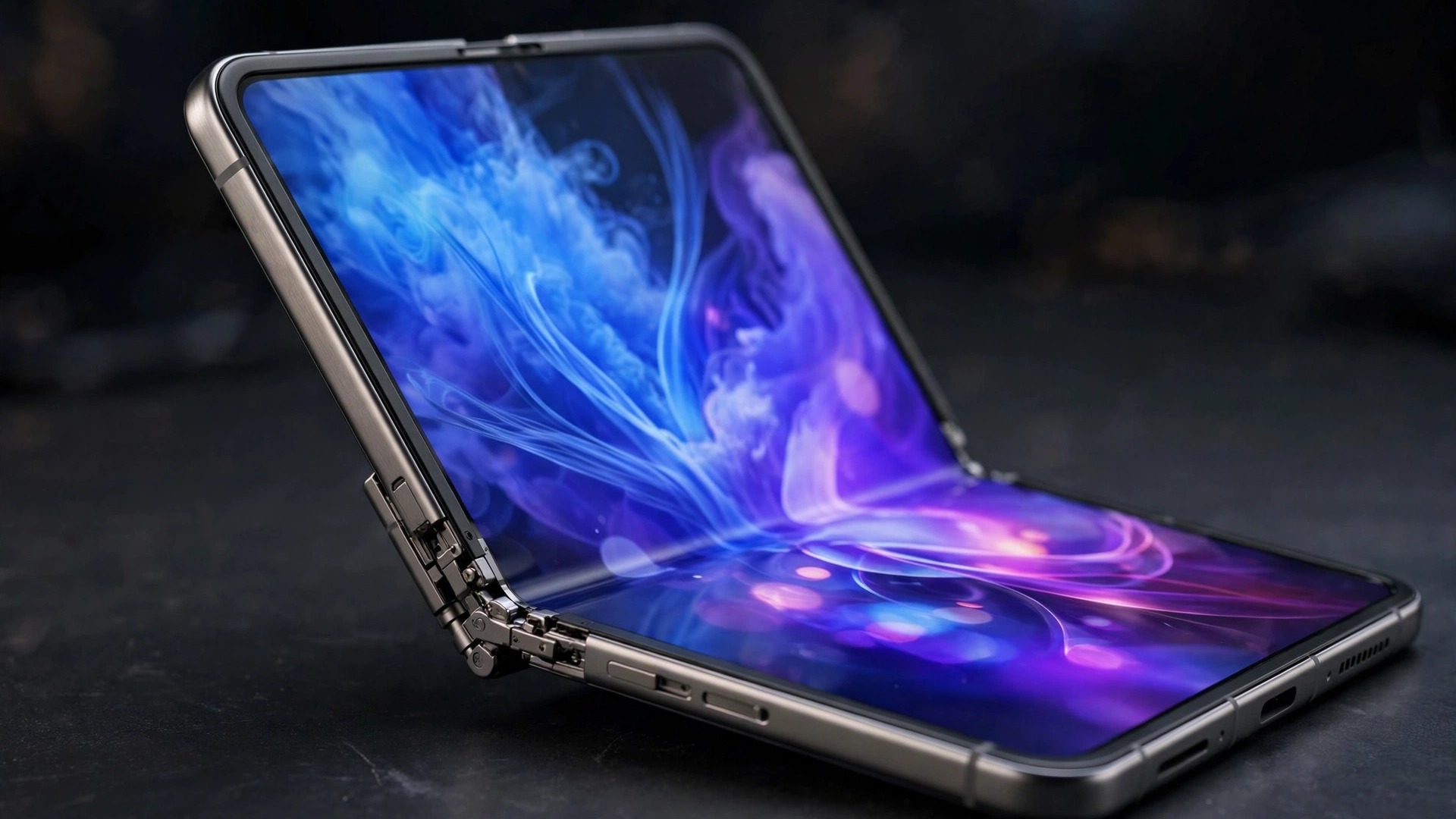
    The iPhone Duo folds like a book. Closed, it’s a phone with a 5.4-inch Super Retina XDR outer display; open it and you get a 7.6-inch folding inner display that Apple says is 50% larger than the iPhone 18 Pro Max’s screen. Both displays support ProMotion, Always-On, and up to 3,000 nits of peak outdoor brightness. At 5.2mm unfolded, it’s the thinnest iPhone Apple has ever made (254g; 11.3mm folded).

    Under the hood, it runs the same A20 Pro chip as the iPhone 18 Pro, cooled by a custom vapor chamber designed for the thin folding chassis. A dual-battery system is rated for up to 31 hours of video on the inner display and 44 hours on the outer one. Wireless is handled by Apple’s N1 chip (Wi-Fi 7, Bluetooth 6, Thread) and C2 modem (mmWave in the US).

    A few deliberate trade-offs distinguish it from the candybar flagships:

    • Touch ID instead of Face ID. The side-button fingerprint sensor returns — there was simply no room for the TrueDepth camera in the foldable design.
    • A dual 48MP camera system (Fusion Main + Fusion Ultra Wide), with no telephoto lens. There’s also a 12MP Center Stage front camera plus an under-display FaceTime camera.
    • eSIM only, in every market it’s sold in — no physical SIM tray anywhere.
    • Nano-texture option on the inner display and a Grade 5 titanium frame with ceramic fiber antenna inserts and support ribs, holding a hinge Apple says contains more than 100 components.

    It ships with iOS 27.1, the first iOS built around the foldable form factor: side-by-side apps, and new camera and FaceTime experiences that use both the inner and outer screens. Apple Pencil (USB-C) support arrives later this year.

    iPhone Duo Release Date: Ships October 23

    The iPhone Duo pre-order opened today, October 16, and Apple says first orders reach buyers a week later on Friday, October 23. Another 28 countries and regions get the Duo on October 30 (Apple hasn’t named them yet).

    Here’s why you probably shouldn’t wait until the 23rd: multiple supplier reports warn that launch-day stock is constrained, thanks to low yields on foldable panels and the complexity of the new hinge. One report estimates only 7–10 million units through the rest of 2026. MacRumors notes that customers who used Apple’s “Get Ready” option to pre-configure their color, storage, trade-in and payment details can check out in a couple of taps — worth doing if the store pages load slowly, as they often do at 5 a.m. launches.

    AppleCare+: Yes, Get It

    This is the one upsell that’s genuinely worth the money. Some iPhone Duo repair fees run as high as $1,499 without a protection plan, per MacRumors — a screen repair on a foldable was never going to be cheap. Add AppleCare+ at checkout; it’s the rare add-on that pays for itself with a single drop.

    iPhone Duo vs Pixel 11 Pro Fold vs Galaxy Z Fold 8 Ultra

    Apple is late to foldables — Samsung’s Galaxy Z Fold 8 Ultra and Google’s Pixel 11 Pro Fold have been on sale since August — so the obvious question is whether the Duo is worth $2,000 against rivals that start lower:

    • Price: Pixel 11 Pro Fold at $1,899 undercuts the Duo; the Galaxy Z Fold 8 Ultra starts higher at $2,099.
    • Cameras: Samsung wins the hardware race with a 200MP wide sensor; the Duo’s dual 48MP setup (no telephoto) is its weakest spec on paper.
    • Weight and thickness: The Galaxy is lightest (215g) and thinnest when unfolded (4.1mm vs the Duo’s 5.2mm).
    • Software: Both Android rivals promise seven years of updates. Apple’s Duo counters with iOS 27.1’s foldable-optimized multitasking and the deepest integration with the Apple ecosystem — it pairs with your Apple HomeView and Apple TV 4K (4th gen) out of the box.

    The honest read: the Duo is the pick if you want an iPhone that folds and you’re willing to accept the camera compromises and the $1,999 entry. If cameras are your priority, Samsung has the better hardware for about the same money.

    Should You Join the iPhone Duo Pre-Order?

    The iPhone Duo pre-order is for two kinds of buyers: foldable enthusiasts who’ve waited years for Apple to enter the category, and iPhone loyalists with $2,000 to spend on the most distinctive iPhone design in a decade. The supply warnings make today the best day to order if you’re on the fence — the second wave isn’t until October 30, and day-one stock is expected to be tight.

    One caution: this is a first-generation foldable with an unproven hinge and a new form factor Apple itself spent years resisting. If you’re risk-averse, wait for the durability reviews to land in a few weeks. But the ship-date queue is now open — and with reports of constrained supply, waiting has a cost too.

    Bottom line: $1,999 gets you a 7.6-inch foldable with the A20 Pro, Touch ID, iOS 27.1 and Apple Pencil support on the way. Ships October 23. Get AppleCare+.

    Also on Apple’s busy October calendar: Apple’s Oct 28 touchscreen MacBook event could bring the first-ever touchscreen MacBook Pro alongside M6 Macs and a new iPad mini.

  • Xbox Nano Controller: Price, Specs, Release Date & Everything We Know

    Xbox Nano Controller: Price, Specs, Release Date & Everything We Know

    Xbox Nano Controller: Price, Specs, Release Date & Everything We Know

    Microsoft has a new gamepad, and it’s the smallest one Xbox has ever made. The Xbox Nano Controller — announced October 14, 2026, on Xbox Wire — squeezes every standard Xbox input into a pocket-size body, ditches AA batteries for an internal rechargeable cell, and costs just $49.99. Preorders are open now, with the controller shipping November 4.

    Whether you’re shopping for a younger gamer, need a travel controller, or just have smaller hands, here’s everything we know about the Xbox Nano Controller: price, specs, release date, and how it compares to the standard pad.

    Xbox Nano Controller Price and Release Date

    The Xbox Nano Controller price is $49.99 in the US — $15 cheaper than the standard Xbox Wireless Controller at $64.99. In the UK it’s £44.99.

    Microsoft opened preorders on October 14, 2026, the same day it announced the controller on Xbox Wire. Store listings point to a November 4, 2026 release date, with availability “beginning in November” across 36 launch markets including the US, UK, Canada, Mexico, Japan, Korea, Australia, and China. Microsoft says additional markets will follow; India isn’t among the initial 36, and no Indian price has been announced.

    Two bundle deals sweeten the launch: in the US, Microsoft is pairing the Nano with two months of Game Pass Ultimate (for new members) on select Samsung TVs this holiday season, with a similar offer on Meta Quest headsets.

    Xbox Nano Controller Specs and Features

    Despite its size, the Xbox Nano Controller keeps all 18 standard gameplay inputs — the familiar Xbox layout with two thumbsticks, a D-pad, four face buttons, bumpers, triggers, and menu buttons. No relearning required.

    The headline new feature is the programmable Action Button, which can be assigned to shortcuts like screenshots or gameplay capture. Button remapping goes further through the Xbox Accessories app.

    Full specs confirmed by Microsoft:

    • Size: A little over 5 inches long — “lighter and shorter than most modern smartphones”
    • Weight: 3.5 ounces (about 99 grams)
    • Inputs: All 18 standard Xbox inputs + programmable Action Button
    • Battery: Internal rechargeable (USB-C charging; cable sold separately)
    • Connectivity: Xbox Wireless (consoles), Bluetooth (Windows 10/11 PCs, tablets, phones, select smart TVs)
    • Compatibility: Xbox Series X|S, Xbox One, Xbox on PC, Android, iOS, select smart TVs
    • Customization: Button remapping via the Xbox Accessories app

    Two things to know before you buy: the Nano has no Wi-Fi cloud link — it connects over Xbox Wireless and Bluetooth only. And like the standard pad, it uses traditional sticks rather than Hall effect or TMR drift-free ones.

    Design: Small Enough for Your Pocket

    The Nano’s white shell and flat profile set it apart from the standard pad. Microsoft’s pitch is simple: a controller that fits nearly every pocket and budget, aimed at younger players, smaller hands, and anyone gaming on the go — think travel, family visits, or cloud gaming on a Samsung TV through the Xbox app.

    The USB-C port sits on the top edge between the bumpers. The one packaging quirk: Microsoft’s spec sheet notes the USB-C cable is sold separately, so have one ready on November 4.

    Battery and Connectivity

    The biggest quality-of-life change versus the standard Xbox Wireless Controller is power. The standard pad still runs on AA batteries; the Nano has a built-in rechargeable battery, ending the eternal hunt for fresh AAs. The trade-off: it’s not compatible with existing Xbox controller charging stations, so you’ll charge over USB-C.

    For connections, it’s Xbox Wireless on consoles and Bluetooth everywhere else — Windows 10 and 11 PCs, tablets, Android and iOS phones, and compatible smart TVs. On a Windows PC it pairs like any Bluetooth gamepad — and if your PC is up to date, the new Windows 11 October 2026 update also fixes a mouse-input stutter bug that had been plaguing some games.

    Xbox Nano Controller vs Standard Xbox Controller

    Price: $49.99 (Nano) vs $64.99 (standard). Size: just over 5 inches and 3.5 oz (Nano) vs larger and heavier (standard). Battery: internal rechargeable over USB-C with cable sold separately (Nano) vs AA batteries (standard). Action Button: yes, programmable (Nano) vs no (standard). Release: November 4, 2026 (Nano) vs available now (standard).

    The Nano is the budget, portable pick; the standard controller remains the full-fat option. If you want the cheapest way into Xbox gaming — especially paired with this month’s Xbox Game Pass October 2026 games lineup — the Nano is hard to argue with.

    Should You Buy the Xbox Nano Controller?

    Buy it if: you want a second controller for travel or kids, you have smaller hands, you play on phones, tablets, or TVs via Bluetooth, or you’re tired of buying AA batteries.

    Skip it if: you want drift-proof sticks, or India is your market — you’ll be waiting for a later wave, since Microsoft hasn’t announced Indian pricing or a date.

    At $49.99 with preorders live now, the Xbox Nano Controller looks like the stocking stuffer of the 2026 holiday season. We’ll update this guide when Microsoft announces the next wave of markets.

  • Windows 11 October 2026 Update: What’s New, Fixes & How to Install

    Windows 11 October 2026 Update: What’s New, Fixes & How to Install

    Windows 11 October 2026 Update: What’s New, Fixes & How to Install

    Microsoft has rolled out the Windows 11 October 2026 update, and it’s one of the most consequential Patch Tuesday releases in a while. Officially tracked as KB5127648, this update brings new File Explorer tricks, a long-awaited Copilot key upgrade, and fixes for bugs that have been annoying gamers and IT admins for months.

    There’s also a deadline buried in the release notes: for anyone still on Windows 11 24H2, this is the last update Home and Pro editions will ever receive. Here’s everything new in the Windows 11 October 2026 update, what’s fixed, and how to install it.

    Windows 11 October 2026 Update: Builds and Versions

    The Windows 11 October 2026 update is rolling out under KB5127648 across three OS versions:

    • Windows 11 26H2 → build 26300.9711
    • Windows 11 25H2 → build 26200.9711
    • Windows 11 24H2 → build 26100.9711

    A separate update, KB5127646 (build 28000.3231), covers Windows 11 26H1 — the hardware-optimized release that ships preinstalled on select new devices with next-generation silicon, including Snapdragon X2-powered ARM64 PCs. If you run Windows on Intel or AMD hardware, 26H1 will never be offered to your PC.

    Like every recent release, the update ships in two phases. Fixes in the “normal rollout” reach everyone as soon as they install the update, while new features in the “gradual rollout” arrive over the following weeks — so don’t panic if a headline feature doesn’t appear the day you update.

    What’s New in the Windows 11 October 2026 Update

    The Windows 11 October 2026 update doesn’t have one giant headline feature, but it stacks up a pile of genuinely useful quality-of-life upgrades:

    File Explorer previews PDFs again. Downloaded PDFs can be previewed in the preview pane once more, and there’s a new “Preview anyway” button for HTML files. If you’ve been opening every PDF in a separate app just to glance at it, those days are over.

    Copilot key remapping. You can now remap the Copilot key to either the Right Ctrl key or the Context Menu key via Settings → Bluetooth & devices → Keyboard. Microsoft notes that using the Right Ctrl key may disrupt combinations like Right Ctrl + Win, so it recommends the left Ctrl key instead. With AI assistants becoming a daily driver — we recently covered GPT-6’s new Intelligent UI — it’s about time the dedicated key became flexible.

    New accessibility setting: open apps maximized. A small but meaningful addition for anyone who needs windows to fill the screen by default.

    Bluetooth fixes. A long list of Bluetooth repairs covering audio, microphones, LE Audio, and the Settings page itself.

    Emoji 17.0. The update adds the newest emoji set, including the distorted face, fight cloud, and hairy creature — essential vocabulary for 2026.

    Touchpad upgrades. Single-finger scrolling and automatic scrolling arrive for precision touchpads.

    Tips widget. A new widget for the Widgets board and the lock screen that surfaces helpful tips.

    Camera roll backup to OneDrive. You can now back up your camera roll to OneDrive directly from Settings.

    Magnifier refresh. The Magnifier toolbar gets a refreshed design.

    Desktop background fixes. Plus DIB image format support for desktop backgrounds.

    PC-to-PC Migration is removed. Microsoft is pulling this feature from the OS.

    File History and domain trust bugs. Fixed.

    Fixed: Gaming Mouse Lag, Black Screens & More

    This month’s update resolves a long-standing bug that caused mouse input to stutter in some games — an issue that had players blaming their hardware, with some even shopping for replacement gaming mice. Microsoft’s release notes don’t name affected games or hardware, but if your aim felt off recently, install the update before buying a new mouse. Pair your fixed-up gaming rig with this month’s Xbox Game Pass October 2026 games — or go portable with the new Xbox Nano Controller, Microsoft’s smallest gamepad yet.

    IT admins get relief too. The update fixes the black-screen-after-sign-in issue plaguing Azure Virtual Desktop hosts using FSLogix: Explorer.exe would fail to start after sign-in or crash repeatedly, leaving users staring at a black screen. Microsoft says updates released October 13, 2026, or later resolve it. Affected users who can’t install the update yet can open Task Manager and run explorer.exe as a temporary workaround, and enterprise admins can apply a Known Issue Rollback group policy (restart required).

    Other notable fixes:

    • AC-3 audio playback crashes in some apps
    • Windows Hello fingerprint sign-in failing after a cold boot
    • Always On VPN connections stuck on “Connecting”
    • Printing issues with RAW and Generic Text Only drivers
    • Virtual disks failing to come online
    • A new UTC-05:00 (Manitoba) time zone, effective November 1

    End of Support: Windows 11 24H2’s Last Update

    This is the part that deserves your attention. The Windows 11 October 2026 update is the last update Windows 11 24H2 Home and Pro editions will ever receive. Microsoft is ending support for 24H2’s consumer editions, which means no more security patches after this release.

    If you’re still on 24H2, the move is simple: update to 25H2 or 26H2 to stay protected. Check your version in Settings → System → About, then head to Windows Update. Staying on an unsupported build is the fastest way to become a malware statistic.

    How to Install the Windows 11 October 2026 Update

    Installing the Windows 11 October 2026 update takes a few clicks:

    1. Open Settings (press Win + I).
    2. Go to Windows Update in the left sidebar.
    3. Click Check for updates.
    4. If KB5127648 appears, click Download & install.
    5. Restart your PC when prompted.

    The update is mandatory — it’s a security update that also bundles every change from the September 22 optional release — so it will install on its own eventually. Installing manually just gets you the fixes sooner.

    In a hurry or fighting Windows Update errors? Microsoft offers direct .msu downloads through the Update Catalog. Fair warning: these are large files — the 26H2 x64 package is over 5GB — so stick with Windows Update unless it’s misbehaving.

    Should You Install It Right Away?

    Yes. The Windows 11 October 2026 update is a security update first, and it fixes real, annoying bugs: the gaming mouse stutter, the Explorer black screens, the Bluetooth mess. The gradual rollout means headline features may take a few days to appear, but the fixes land immediately.

    The one exception: if you’re on 24H2 Home or Pro, treat this update as your migration notice. Install it, then move to 25H2 or 26H2 while you still have a supported path.

  • Apple HomeView: Specs, Price, Release Date & Everything We Know

    Apple HomeView: Specs, Price, Release Date & Everything We Know

    Apple HomeView: Specs, Price, Release Date & Everything We Know

    Apple has finally entered the smart display race. At its October 13 “Welcome Home” event in New York, the company announced Apple HomeView, an all-new smart home hub that pairs a 7-inch Liquid Retina display with Siri AI — and it’s already the most searched tech topic in the US.

    If you’ve been waiting for Apple to take on the Echo Show and Nest Hub, this is it. Here’s everything we know about the Apple HomeView: specs, price, release date, and how it fits into Apple’s growing smart home lineup.

    Apple HomeView Specs

    The Apple HomeView is built around a 7-inch Liquid Retina touchscreen, a first for any Apple home product. Apple describes it as a device designed to be shared by everyone in the home, yet feel completely personal to each user — it recognizes your face to shift from a shared household screen to your own personalized experience.

    Key Apple HomeView specs confirmed at launch:

    • Display: 7-inch Liquid Retina touchscreen
    • Assistant: Siri AI built in
    • Camera: FaceTime camera for video calls and face recognition
    • Audio: Speaker base with microphones for far-field Siri
    • Software: Runs Apple’s new homeOS
    • Personalization: Face recognition switches between household and personal views; guest mode hides personal information
    • Smart home: Deep HomeKit and Matter integration for controlling lights, locks, cameras, and thermostats

    Apple’s senior vice president of Worldwide Marketing Greg Joswiak said the device “recognizes your face to shift from a household screen to your own experience,” positioning personalization as the HomeView’s killer feature against Amazon and Google’s smart displays.

    The HomeView comes in two mounting options: a tabletop model with a speaker base, and a wall-mounted model designed to sit flush like a digital picture frame or control panel. Setup requires an iPhone or iPad running the latest software, and the full personal-context Siri AI experience requires a paired Apple Intelligence-capable device.

    Apple HomeView Price

    The Apple HomeView price is $299 in the US — for both the tabletop and wall-mounted models. That puts it in direct competition with the larger Echo Show models and Google’s Nest Hub Max, while undercutting Apple’s own pricing expectations for a brand-new product category.

    A few things to know about what’s in the box:

    • The tabletop model includes a USB-C cable and 30W power adapter
    • The wall-mounted model sells the wall mount, USB-C cable, and 20W-or-higher adapter separately
    • The HomeView is not sold in the EU at launch
    • Siri AI on HomeView is an English-language beta in supported markets at launch

    Apple HomeView Release Date

    The Apple HomeView release date is November 13, 2026, with preorders opening October 13, 2026 — the same day as the announcement. That’s a fast turnaround by Apple standards, and it positions the HomeView squarely in the holiday shopping season.

    For context, the rest of Apple’s home lineup follows close behind: the new Apple TV 4K (4th generation) also launches November 13, while the HomePod mini 2 arrives slightly earlier on October 30.

    What Can the Apple HomeView Do?

    Apple is pitching the HomeView as the command center for your home. The headline features:

    Smart home control. The HomeView is the natural hub for HomeKit and Matter devices. With Apple’s new Home Collection accessories rolling out in December — including LG indoor and outdoor cameras, a video doorbell, a smart deadbolt lock, and thermostats — the HomeView becomes the screen you glance at to see who’s at the door or check the thermostat.

    Personalized for everyone. Up to six users can personalize the HomeView. Walk up to it and it recognizes your face, switching to your calendar, messages, contacts, and notes. A guest mode keeps personal information hidden when visitors are around.

    Siri AI. This is the big one. The HomeView ships with Siri AI — the smarter, more conversational Siri Apple has been building toward. Note that the full Siri AI experience arrives via software and requires an Apple Intelligence-capable paired device, so some features will deepen over time.

    Entertainment. With its speaker base and 7-inch display, the HomeView handles music, podcasts, and video calls via the FaceTime camera. It pairs naturally with the new Apple TV 4K for a whole-home Apple entertainment setup.

    Apple HomeView vs the Competition

    The smart display market has been waiting for Apple for years. Here’s how the HomeView stacks up:

    • vs Echo Show: The HomeView’s face-recognition personalization goes further than Amazon’s voice profiles, and Apple’s privacy pitch (on-device processing, guest mode) is a direct contrast to Amazon’s data-driven approach. The $299 price matches the larger Echo Show models.
    • vs Nest Hub: Google’s Nest Hub has owned the affordable end of this market. Apple’s $299 pricing concedes the budget tier entirely and bets that Apple households will pay a premium for HomeKit integration and design.
    • The Apple advantage: No competitor can match the HomeView’s integration with iPhone, iPad, Apple TV, and HomePod. If your home already runs on Apple gear, the HomeView is the missing piece.

    Should You Buy the Apple HomeView?

    The Apple HomeView makes the most sense if you’re already invested in Apple’s ecosystem — an iPhone, preferably with Apple Intelligence, plus some HomeKit devices. At $299, it’s priced as a premium smart display, and the November 13 release date gives you time to see early reviews before the holidays.

    The bigger question is Siri AI. Apple’s new assistant is the soul of this device, and it’s launching as a beta. If Siri AI delivers, the HomeView could be the product that finally makes Apple’s smart home push real. If it stumbles, it’s an expensive clock with a camera.

    Either way, with 200K+ searches in a single day, Apple clearly has the market’s attention. We’ll be updating this guide as reviews land and as Apple fills in the remaining details — including the four additional products reportedly coming on October 27.


    Looking for the rest of Apple’s October lineup? Check out our guide to the Apple TV 4K (4th generation) with the A19 chip, and read about what’s new in AI assistants as Siri AI rolls out.

  • Apple TV 4K (4th Gen): A19 Specs, Price, Release Date & Everything We Know

    Apple TV 4K (4th Gen): A19 Specs, Price, Release Date & Everything We Know

    Apple TV 4K (4th Gen): A19 Specs, Price, Release Date & Everything We Know

    The Apple TV 4K is back. At its October 13 “Welcome Home” event, Apple announced the fourth-generation Apple TV 4K — the first refresh of its streaming box since 2022 — powered by the new A19 chip with Siri AI built in.

    It arrives alongside the new Apple HomeView smart home hub as part of Apple’s biggest smart home push ever. Here’s everything we know: Apple TV 4K (4th gen) specs, price, release date, and whether it’s worth the upgrade.

    Apple TV 4K (4th Gen) Specs

    The headline upgrade is the A19 chip, the same silicon family powering this year’s iPhones. Apple says the A19 delivers up to 50% faster CPU performance and up to twice the graphics performance of the previous Apple TV 4K — a major leap for a device that now doubles as a casual gaming box.

    Full Apple TV 4K (4th gen) specs:

    • Chip: Apple A19 (up to 50% faster CPU, up to 2x GPU vs previous gen)
    • Storage: 128GB
    • Assistant: Siri AI support built in
    • Remote: Updated Siri Remote with Find My + Precision Finding
    • Microphones: Built-in far-field microphones on the box itself
    • Audio: Support for surround sound with four HomePods in front and rear pairs
    • Connectivity: Wi-Fi 7 expected, Thread/Matter smart home support

    The A19 isn’t just about speed — it’s what enables Siri AI on the big screen. Apple is bringing its smarter, conversational assistant to the TV, so you can ask follow-up questions, get personal-context answers, and control your smart home by voice without picking up the remote.

    For the chip-curious: the A19’s efficiency gains mirror what we’re seeing across the industry’s AI silicon push, from NVIDIA’s RTX Spark platform to AMD’s Ryzen AI Halo — everyone is racing to put more AI compute in less power-hungry packages.

    Apple TV 4K (4th Gen) Price

    The Apple TV 4K (4th gen) price is $299 in the US for the 128GB model. That matches the previous generation’s top-tier pricing, so Apple is holding the line rather than raising prices — notable given the A19 upgrade and four years of inflation since the last refresh.

    What’s not in the box: HDMI and USB-C cables are sold separately, continuing Apple’s minimalist packaging approach. Budget a few extra dollars if you don’t have spares lying around.

    Apple TV 4K (4th Gen) Release Date

    The Apple TV 4K (4th gen) release date is November 13, 2026, with preorders starting October 13, 2026. It launches the same day as the Apple HomeView, making November 13 the official start of Apple’s new smart home era.

    What’s New vs the Previous Apple TV 4K

    If you own the 2022 Apple TV 4K, here’s what the fourth generation adds:

    A19 chip. The single biggest reason to upgrade. Up to 50% faster CPU and 2x GPU performance transforms everything from app loading to Apple Arcade gaming. If you’ve ever felt the old box stutter on a demanding game, this is the fix.

    Siri AI. The old Siri on Apple TV was basic voice search. Siri AI is conversational — ask “find me a comedy under two hours,” then follow up with “only ones from this year.” It also ties into your smart home, so “dim the living room lights” works without touching your phone.

    Find My remote. The updated Siri Remote finally supports Find My with Precision Finding. If your remote vanishes into the couch cushions weekly — and whose doesn’t — this alone might justify the upgrade.

    Far-field microphones. The box itself can now hear you, so “Hey Siri” works hands-free even when the remote is across the room.

    Four-HomePod surround. Apple now supports a true surround setup with four HomePods in front and rear pairs — a meaningful upgrade for the Apple-everywhere household.

    Apple TV 4K and Gaming

    Apple keeps quietly pushing the Apple TV as a gaming device, and the A19 makes that pitch more credible. With up to twice the GPU performance, Apple Arcade titles should run noticeably better, and the box’s efficiency means silent, cool operation.

    It’s not going to replace a console — but paired with a controller, the fourth-gen Apple TV 4K is the most capable casual gaming box Apple has ever shipped. Combined with this month’s Xbox Game Pass additions, October is a good month to be a living-room gamer.

    Should You Upgrade to the Apple TV 4K (4th Gen)?

    Upgrade if: you’re still on the 2021 or older Apple TV, you want Siri AI on your TV, you lose your remote constantly, or you’re building out an Apple smart home with the new HomeView and HomePod mini 2.

    Wait if: you bought the 2022 model and only stream video. The A19’s extra headroom won’t change your Netflix experience, and the 2022 box will keep getting software updates for years.

    Skip if: you’re not in Apple’s ecosystem. The Apple TV 4K’s best features — Siri AI personal context, HomeKit control, Find My — all assume you own an iPhone.

    What’s Next: October 27

    Apple isn’t done. Bloomberg’s Mark Gurman reports four more products coming October 27: MacBook Pro models with touch-enabled OLED displays, an iPad mini with OLED, a 14-inch MacBook Pro with the M6 chip, and an M6 iMac. If that holds, October 2026 will go down as one of Apple’s biggest product months ever.

    We’ll update this guide as reviews land and pricing details firm up. In the meantime, read our Apple HomeView guide for the other half of Apple’s smart home play.


    New to Apple TV? Our Apple TV 4K (4th generation) guide covers setup tips, and our Apple HomeView breakdown explains how the two work together.

  • GPT-6 Intelligent UI: What’s New in ChatGPT

    GPT-6 Intelligent UI: What’s New in ChatGPT

    ChatGPT just changed how it answers you. With the rollout of GPT-6, OpenAI has introduced GPT-6 Intelligent UI — a new capability that lets the chatbot respond with interactive buttons, charts, forms, calculators, and even small embedded games instead of just paragraphs of text. The update began reaching paid subscribers on October 7, 2026, expanded to free users the next day, and now covers the more than 1.2 billion people who use ChatGPT each week. Here is what GPT-6 Intelligent UI actually does, which model you get on your plan, and how to make the most of it.

    What is GPT-6 Intelligent UI?

    Until now, ChatGPT answered with text — sometimes formatted, sometimes with an image, but fundamentally something you read. GPT-6 Intelligent UI changes the answer into something you can use. Ask for help planning a Sunday roast and you might get the recipe with an adjustable shopping calculator and a cooking timeline next to it. Ask about a road trip and the stops appear on a map. Ask it to split a bill and it builds a working bill splitter inside the conversation.

    The key detail: the format is the model’s decision, not a setting you toggle. OpenAI says it trained GPT-6 to compose responses from text, visuals, and interactive elements, choosing how they fit together based on your question. When plain text is the most useful answer, you still get plain text.

    Under the hood, OpenAI built a library of native, streamable interface components plus a compiler that assembles the interface while the model is still generating — so buttons, charts, and tools appear progressively instead of popping in after the full answer finishes. The company is candid that the model’s design judgment is still a work in progress, and that there is more to come on what it can create.

    GPT-6 Sol vs GPT-6 Luna: which model do you get?

    The rollout uses two model variants, and which one you get depends on your plan:

    • GPT-6 Sol — for ChatGPT Plus, Pro, Business, and Enterprise subscribers. Rolled out starting October 7, 2026.
    • GPT-6 Luna — for Free and Go tier users. Rolled out starting October 8, 2026, just a day after the paid launch.

    OpenAI describes both as tuned for everyday conversation, with Sol being the more capable of the two. There is one notable exception: if you use the Pro tier’s dedicated reasoning option, you stay on GPT-6 Astra, which does not support Intelligent UI at all. The models behind ChatGPT Work and the Codex coding tool are also unchanged by this release — Intelligent UI is currently scoped to the main Chat tab only.

    Speed got a boost too: OpenAI says GPT-6 Instant begins answering web-search questions 44% sooner on average than the previous GPT-6 Instant, thanks to what the company calls “interleaved thinking” — the model starts composing an answer from partial findings while it is still reasoning. That figure comes from OpenAI’s own testing, so take it as a vendor claim rather than an independent benchmark.

    How to use GPT-6 Intelligent UI

    There is nothing to install and no setting to enable — if GPT-6 has rolled out to your account, Intelligent UI is simply there. To get the most out of it, ask questions that benefit from interaction:

    • Comparisons — ask it to compare two products, plans, or options and you may get a side-by-side table instead of a wall of text.
    • Calculations — request a savings plan, a budget breakdown, or a bill split and it can build a working calculator.
    • Explanations — ask how something works and you might get an interactive diagram where you can change an input and see what happens.
    • Planning — trip itineraries, recipes, and project timelines can arrive with maps, timelines, and checklists built in.

    If you ever want a plain answer, just ask for one — the model still defaults to text when that is genuinely the most useful format.

    What Intelligent UI means for everyday users

    This is arguably the biggest shift in ChatGPT’s interface since the chatbot launched. Instead of copying an answer into a calculator, a spreadsheet, or a map app, the tool builds a miniature version of that app inside the conversation. For quick everyday tasks — splitting dinner, comparing phone plans, planning a weekend — it removes the step of opening another tab entirely.

    There are caveats worth keeping in mind. An interactive answer is still an AI-generated answer: a calculator the model builds can contain the same mistakes as a paragraph it writes, so double-check anything involving money or important decisions. And because the model chooses the format, you will occasionally get an elaborate interactive layout when a simple sentence would have done.

    Still, for a free upgrade that reaches over a billion users, GPT-6 Intelligent UI is a genuinely useful change — and a sign of where AI assistants are heading: less chat, more doing.

    Want to run AI on your own hardware instead of in the cloud? See our guides to NVIDIA’s RTX Spark AI PCs and AMD’s Ryzen AI Halo chips for the new wave of AI-ready machines.

  • Xbox Game Pass October 2026 Games: Full Wave 1 List

    Xbox Game Pass October 2026 Games: Full Wave 1 List

    The Xbox Game Pass October 2026 games lineup is here, and it is one of the stronger monthly drops in a while. Microsoft has confirmed nine new titles joining the service in the first wave of the month, headlined by Battlefield 6 arriving on October 13 — the same day its new season launches. Whether you play on console, PC, cloud, or handheld, here is every game coming, when each one lands, which subscription plan you need, and which nine games leave the service on October 15.

    Xbox Game Pass October 2026 games: the full Wave 1 list

    All nine additions are joining Game Pass for the first time, spread across four release dates from October 8 to October 16. Seven of the nine are day-one releases, meaning they launch directly into the subscription.

    October 8 — already available:

    • Echo Weaver (Game Pass Ultimate, PC Game Pass) — a day-one time-loop metroidvania where you use knowledge and time-manipulation abilities to break an endless cycle. Playable on cloud, Xbox Series X|S, and PC.
    • Forever Ago (Game Pass Ultimate, PC Game Pass) — a day-one single-player road-trip adventure about photography, exploration, and redemption. Playable on cloud, console, and PC.
    • Neon Abyss 2 (Game Pass Ultimate, Premium, PC Game Pass) — a fast-paced roguelike action platformer with chaotic combat and a cyberpunk setting. Notably, this is the only Wave 1 title also included in the Premium tier. Playable on cloud, Xbox Series X|S, and PC.

    October 13 — the biggest day of the wave:

    • Battlefield 6 (Game Pass Ultimate, PC Game Pass) — the headline addition. The large-scale military shooter arrives on cloud, Xbox Series X|S, and PC, and the timing is deliberate: October 13 is also the launch day of Battlefield 6 Season 5, which opens the game’s second year with a destructible Las Vegas map, an Area 51-inspired military complex, new weapons and vehicles, Platoons, and multiplayer leaderboards. Game Pass Ultimate members also get EA Play perks, including a Deployment Pack and seasonal rewards.
    • Deep Dish Dungeon (Game Pass Ultimate, PC Game Pass) — a day-one survival exploration game with handcrafted dungeons, crafting, and online co-op. Playable on cloud, Xbox Series X|S, and PC.
    • Valor Mortis (Game Pass Ultimate, PC Game Pass) — a day-one first-person soulslike from One More Level, the studio behind Ghostrunner. Set in an alternate-history Napoleonic era with Vincent Cassel voicing Napoleon, it is arguably the most interesting new release of the month for action fans. It also runs on ROG Xbox Ally handhelds.

    October 15:

    • Bluey’s Happy Snaps (Game Pass Ultimate, PC Game Pass) — the family pick of the month, starring the beloved cartoon puppy in a photography game. Playable on cloud, console, handheld, and PC.
    • Chained Beasts (Game Pass Ultimate, PC Game Pass) — a co-op roguelike supporting up to four players in gladiatorial bouts. Playable on cloud, Xbox Series X|S, and PC.

    October 16:

    • Beyond These Stars (Game Pass Ultimate, PC Game Pass) — a city-builder with a twist: you construct your settlement on the back of a gargantuan space whale. This one is PC-only.

    Games leaving Xbox Game Pass in October 2026

    As always, new arrivals mean departures. Nine games leave the service on October 15, so if any of these are in your backlog, you have just days left:

    A Plague Tale: Requiem, Clair Obscur: Expedition 33, Crime Scene Cleaner, Donut County, Evil West, Nova Roma, Pacific Drive, Superball, and The Casting of Frank Stone.

    Clair Obscur: Expedition 33 is the painful one — it was one of the best-reviewed games of its year, so finishing it before the 15th is worth prioritizing. Game Pass members typically get a discount if they want to buy a departing game to keep.

    Which Game Pass plan do you need?

    Almost the entire wave requires Game Pass Ultimate or PC Game Pass. The one exception is Neon Abyss 2, which is also available to Premium subscribers. If you are on the entry-level plan and eyeing Battlefield 6 or Valor Mortis, you will need to step up to Ultimate or PC Game Pass. Keep in mind that cloud streaming, which lets you play without downloads, is part of the Ultimate tier — handy if your storage is full.

    What to play first

    If you only have time for a few: Battlefield 6 is the obvious pick, arriving alongside a full new season of content on day one. Valor Mortis is the critic’s curiosity — a first-person soulslike is rare, and early buzz is strong. And if you share your subscription with kids, Bluey’s Happy Snaps on October 15 is an easy win. With seven day-one launches in a single wave, October is a genuinely good month to be subscribed.

    Looking for more gaming hardware coverage? Check out our breakdown of AMD’s Ryzen AI Halo chips and what they mean for Windows gaming laptops and handhelds.

  • AMD Ryzen AI Halo (PRO 495): Specs, Price, Release Date & Everything We Know

    AMD Ryzen AI Halo (PRO 495): Specs, Price, Release Date & Everything We Know

    AMD has unveiled the next version of its Ryzen AI Halo Developer Platform, a compact desktop built for running serious AI workloads locally. Powered by the new Ryzen AI Max+ PRO 495 processor and packing up to 192GB of unified memory, it is designed to run 300-billion-parameter language models entirely on your desk — no cloud required. Here is everything we know.

    What Is the Ryzen AI Halo Developer Platform?

    The Ryzen AI Halo is not a traditional desktop PC. It is a compact developer workstation — roughly the size of a small mini-PC — purpose-built for building, testing, and running AI models locally. The first version arrived earlier this year with the Ryzen AI Max+ 395 chip, 128GB of memory, and a $3,999 price tag, rated for models up to 200 billion parameters.

    The new version takes a big step up: the Ryzen AI Max+ PRO 495 chip, up to 192GB of LPDDR5x unified memory, and support for 300-billion-parameter models and larger at 4-bit quantization. It is aimed squarely at AI developers, researchers, and creators who want datacenter-class local AI without renting cloud GPUs.

    Ryzen AI Max+ PRO 495: Full Specifications

    The heart of the platform is the Ryzen AI Max+ PRO 495, which combines three processors on a single chip sharing one memory pool:

    • CPU: Up to 16 Zen 5 cores (32 threads), boosting up to 5.2GHz from a 3.1GHz base
    • GPU: 40 AMD RDNA 3.5 compute units (Radeon 8065S integrated graphics)
    • NPU: XDNA 2 neural processor rated up to 55 TOPS
    • Memory: Up to 192GB LPDDR5x unified memory (up to 160GB allocatable as VRAM)
    • Storage: 2TB SSD
    • Wireless: Wi-Fi 7, Bluetooth 5.4
    • FP16 AI compute: Up to 61 TFLOPS

    AMD notes that the 55 TOPS NPU figure is a peak rating under optimal conditions, and real-world throughput varies with system configuration, model, and software version.

    192GB of Unified Memory: Why It Matters for Local AI

    The headline feature is the memory. In a normal PC, system RAM and graphics memory are separate pools, and large AI models have to squeeze into whichever is smaller. The Ryzen AI Max+ PRO 495 puts the CPU, GPU, and NPU on a single high-bandwidth memory pool — up to 192GB of it, with as much as 160GB assignable to the GPU as VRAM.

    That changes what fits on a desk. AMD says the platform can hold 300-billion-parameter language models at 4-bit quantization entirely in memory, alongside datasets, applications, and working context. Developers can also run multiple large AI agents concurrently, each with its own KV cache — something that simply does not fit on systems with smaller GPU memory.

    Built for AI Agents, Not Just Chatbots

    AMD is positioning the platform around the shift from chatbots to AI agents — software that reads files, calls tools, coordinates parallel processes, and produces finished deliverables like decks, memos, and charts. In that setup, each part of the chip has a job: the CPU orchestrates the agent’s tools and processes, the GPU and NPU accelerate model inference and content generation, and the unified memory keeps models and working data loaded for all three.

    AMD argues that raw tokens-per-second still matters, but for agent workloads, orchestration, memory capacity, and end-to-end task completion matter just as much.

    Generative AI Performance: AMD’s Claims vs Intel and Apple

    AMD tested the PRO 495 on native x86 Windows with ROCm software across 18 image, video, music, and 3D generation workloads — including FLUX.2, Qwen Image, Ideogram V4, and Stable Music — and published comparisons against two rivals:

    • Vs Intel Core Ultra X9 388H: Higher relative throughput across all 18 workloads, with a top result of 32.2x.
    • Vs Apple M5 Pro: Higher throughput across the workloads, with a top result of 34.3x. AMD notes several workloads did not run on the Apple system at all.

    Two caveats worth knowing: these are AMD’s own tests from September 2026, not independent reviews, and the comparison systems carried 64GB of memory against the Halo’s 192GB — a gap that decides which workloads can even run on each machine.

    Software: Ryzen AI Developer Center and AI Playbooks

    Hardware is only half the story. AMD bundles a software layer meant to take developers from first boot to a running model with minimal setup:

    • Ryzen AI Developer Center: A single app for software, platform controls, features, and updates, with remote access and software sync.
    • Preloaded apps and models: Installed out of the box so testing can start immediately.
    • AI Playbooks: Guided paths through supported AI workflows.
    • Best-Known Configuration: AMD validates ROCm software, drivers, frameworks, applications, and models together as one set, restorable through the Developer Center.

    Windows-based versions will ship with Microsoft’s Windows Project Zenith, a ready-to-code Windows experience with VS Code, WSL, GitHub Copilot CLI, and PowerShell preinstalled.

    Price and Availability

    The Ryzen AI Halo Developer Platform with the Ryzen AI Max+ PRO 495 is available to order now from Micro Center in the US at $7,299.99 — $3,300 more than the first-generation 128GB model. Note that Micro Center lists it as in-store pickup only, with no shipping. Windows Project Zenith versions are coming soon. AMD has not announced pricing for other regions.

    Ryzen AI Halo vs NVIDIA RTX Spark: The Local AI PC Race

    The timing is no coincidence. NVIDIA just opened pre-orders for its RTX Spark AI PCs — laptops and compact desktops with up to 128GB of unified memory starting at $2,599. AMD’s answer is a more expensive, more memory-heavy developer box: 192GB vs 128GB, $7,299 vs $2,599.

    The two target different buyers. RTX Spark is a consumer-and-creator platform that also plays AAA games; the Ryzen AI Halo is a developer-first machine for people whose models genuinely need 160GB of VRAM. But together they mark the same turning point: 2026 is the year serious AI moved from the cloud to the desk.

    Should You Buy It?

    The Ryzen AI Halo makes sense for a narrow audience: AI developers and researchers running very large local models or multi-agent workflows who would otherwise pay for cloud GPU time. For everyone else — including most creators — the $7,299 price and developer focus make it a tough sell against cheaper local-AI options.

    Still, as a statement of where the industry is going, it matters. Unified memory architectures are rapidly becoming the default for local AI, and AMD just raised the bar for how much of it you can get in a box that sits quietly on a desk.

  • NVIDIA RTX Spark AI PCs: Specs, Price, Release Date & Everything We Know

    NVIDIA RTX Spark AI PCs: Specs, Price, Release Date & Everything We Know

    NVIDIA and Microsoft have officially kicked off a new era of AI computing. Their joint platform, NVIDIA RTX Spark, puts datacenter-class AI power into laptops and compact desktops — and the first machines hit store shelves on October 16, 2026. Preorders opened October 7, with six PC makers shipping RTX Spark hardware at launch, a scale no AI-focused chip launch has reached before.

    But what exactly is RTX Spark, and should you care? Here’s everything we know so far.

    What Is NVIDIA RTX Spark?

    RTX Spark is a new chip platform co-developed by NVIDIA and Microsoft, built around one idea: running powerful AI models locally on your PC instead of sending every request to a cloud datacenter.

    NVIDIA calls it a two-part platform. RTX Spark itself is the hardware half — a CPU-plus-GPU “superchip.” Microsoft provides the software half, called Microsoft Execution Containers (MXC), which is baked into Windows 11 and manages how AI workloads run on the machine.

    The pitch is simple: chatbots, coding assistants, image generators, and autonomous AI agents running entirely on your laptop — no subscription, no latency, no data leaving your device.

    RTX Spark Specs: What’s Inside the Superchip

    The numbers NVIDIA has shared are serious:

    • GPU: Blackwell-generation RTX graphics with up to 6,144 CUDA cores
    • CPU: 20-core NVIDIA Grace processor based on the Arm architecture (a mix of Cortex-X925 and Cortex-A725 cores)
    • Interconnect: NVLink-C2C chip-to-chip link instead of a conventional PCIe connection
    • Memory: up to 128GB of unified memory shared between the CPU and GPU
    • AI acceleration: fifth-generation Tensor Cores with FP4 precision support
    • Claimed performance: up to 1 petaflop of AI compute

    The standout spec is the unified memory. In a normal PC, the CPU and GPU have separate memory pools, and large AI models get split awkwardly between them. RTX Spark’s shared 128GB pool means a big language model can sit in one place, accessible to both processors at full speed.

    Microsoft’s Half: Execution Containers

    Hardware is only half the story. Microsoft Execution Containers (MXC) is the software layer in Windows 11 that schedules and sandboxes AI workloads on RTX Spark machines.

    Think of it as the traffic controller: it decides which parts of an AI task run on the GPU’s Tensor Cores, which run on the CPU, and how memory gets allocated — all without the user thinking about it. For developers, it means AI apps can target one consistent platform instead of wrestling with drivers and frameworks per machine.

    Which RTX Spark PCs Can You Buy?

    Six PC makers are shipping RTX Spark systems at launch. The two with the most detail so far:

    Dell XPS 16 Creator Edition — Dell’s flagship creator laptop, rebuilt around a 20-core NVIDIA N1X processor (the top of the RTX Spark stack). It pairs the chip with a 3.2K OLED display running at 120Hz and a 99Wh battery. Preorders are open now at a starting price of $3,799.99, with shipments beginning October 16, 2026. Notably, this is the first Dell XPS ever built on NVIDIA silicon instead of Intel or AMD.

    HP RTX Spark AI PCs — HP unveiled its RTX Spark lineup alongside the ZGX Fury GB300 workstation, with Perplexity AI integration built in. Pricing and exact configurations are still rolling out.

    Expect the remaining makers to announce their models through the launch window.

    Battery Life: The Big Claim

    NVIDIA makes one more bold promise: RTX Spark laptops are designed to hold full AI and graphics performance while unplugged, with all-day battery life.

    If true, that fixes one of the oldest complaints about powerful laptops — that they throttle hard the moment you leave the charger. But it’s worth noting this claim has not yet been independently benchmarked by reviewers. Take it as a target, not a guarantee, until third-party tests land.

    Who Is RTX Spark Actually For?

    Let’s be honest: most people don’t need a petaflop on their lap. RTX Spark makes the most sense for:

    • Developers building and testing AI agents and apps locally
    • Creators running image and video generation models without cloud fees
    • Researchers and students working with large open models
    • Privacy-conscious users who want AI that never phones home

    If your heaviest workload is a browser with forty tabs, a conventional ultrabook remains the smarter buy — and far cheaper.

    RTX Spark Price and Release Date

    • Preorders opened: October 7, 2026
    • Retail availability: October 16, 2026
    • Dell XPS 16 Creator Edition: from $3,799.99
    • HP models: pricing to be confirmed
    • Form factors: laptops and compact desktops, all running Windows 11

    Should You Wait for RTX Spark?

    If you run AI workloads daily and you’re shopping for a new machine this fall, RTX Spark is worth a serious look — it’s the first platform genuinely designed around local AI rather than bolting an NPU onto a standard laptop. If you don’t, there’s no reason to pay the early-adopter premium; prices will only come down as more makers join in.

    Either way, October 16 is the date to watch. That’s when the first independent benchmarks should start appearing — and benchmarks, not launch slides, will tell us whether RTX Spark delivers on its petaflop promise.