What it actually does, in one loop
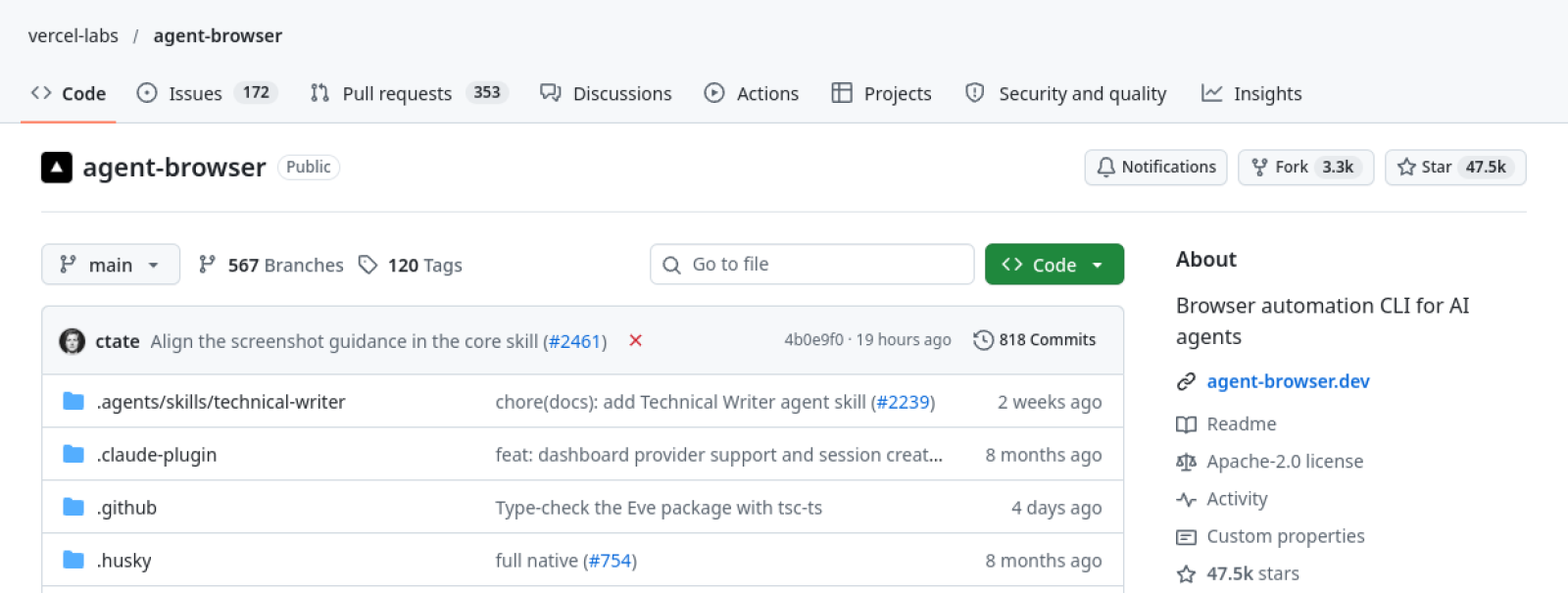
Your coding agent writes a web page. Then what? Until now, the usual answer was: you open the browser yourself, click around, and report back what you saw. Vercel Labs’ agent-browser, trending on GitHub today with about 47,000 stars, exists to close that loop — it gives an AI agent a browser it can drive one shell command at a time, so the agent can check its own work.
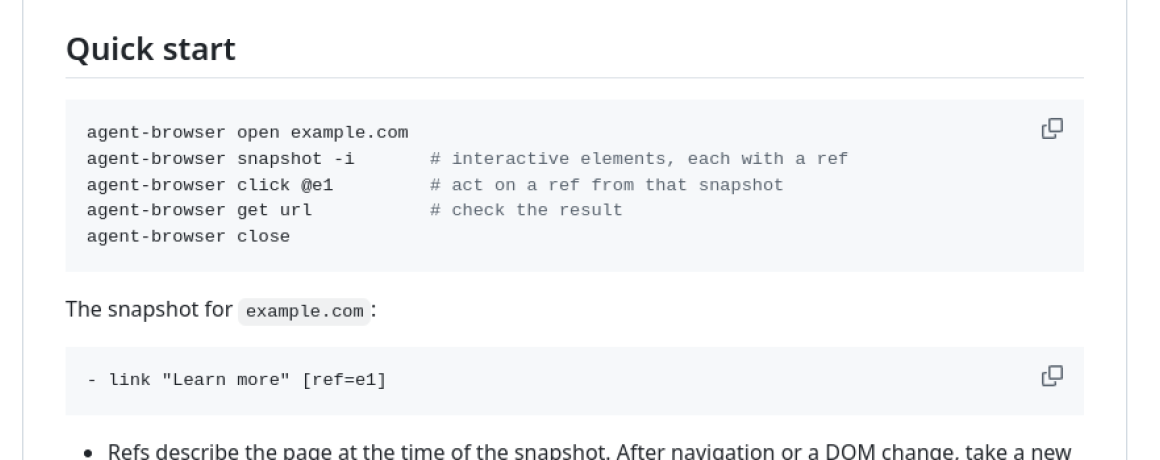
The loop is deliberately simple. The agent opens a page, takes a snapshot — a compact text version of the page’s accessibility tree, with each element tagged with a reference like @e1 — acts on a reference with click @e1, then re-reads the page and repeats. The browser stays open between commands, so the agent keeps its place. When the page changes, the references go stale, and the agent takes a fresh snapshot. That’s the whole idea, and the whole point: a browser reduced to something an agent can reason about in text.
It’s a native Rust CLI, created in January 2026 and now at version 0.41.2, released November 3. It works with Claude Code, Cursor, GitHub Copilot, OpenAI Codex, Google Gemini, opencode, and, per its docs, “any agent that can run shell commands.” That last phrase is doing a lot of work — it means there’s no plugin to install in your editor and no MCP server to configure before the first command. If your agent can run a shell command, it can drive a browser.
Two commands and your agent has a browser
Installation is the part that usually kills developer tools, and here it’s genuinely short:
npm install -g agent-browseragent-browser install
The second command downloads Chrome for Testing the first time you run it. Homebrew users can install with brew install agent-browser instead, and you can try it without installing anything via npx agent-browser open example.com. On Linux, agent-browser install --with-deps also pulls in the browser’s system libraries. No API key, no extra browser to install, no account. The CLI is free and open source under Apache 2.0, and running browser commands locally doesn’t require any model subscription — the cost is whatever your agent already costs you.
One thing worth correcting before it trips anyone up: some secondary write-ups list Node.js 24+, pnpm 11+, and Rust as requirements. They aren’t — those are only needed if you’re building the tool from source. A normal install needs npm or Homebrew and nothing else. The CLI auto-detects an existing Chrome, Brave, or Playwright/Puppeteer install if you have one, and can attach to a running Chrome via CDP, use the Lightpanda or Obscura engines, drive Mobile Safari in the iOS Simulator, or hand off to cloud browser providers like Browserbase or Browserless — which charge their own rates and need their own keys.
Beyond the basic loop, there are more than 50 commands: navigation and reading, clicking and typing and scrolling, waiting, screenshots, PDFs, video recording, cookies and storage, network interception and mocking, tabs and frames, console and error inspection, React and Web Vitals tooling, and sessions with an auth vault. It can run an MCP server with agent-browser mcp — 29 tools in the default core profile, 156 with --tools all — and it ships version-matched agent skills you can install with npx skills add vercel-labs/agent-browser. Headless is the default; the daemon closes a headless browser after an hour without commands, while headed browsers are exempt from the timeout.
Why it took off
The number that explains the star count is a token count. A snapshot runs about 200–400 tokens, against roughly 3,000–5,000 for a full DOM dump — that’s the project’s own figure, not an independent test, but the direction is what matters, and independent users confirm the effect. Pulumi ran a self-verification test where six scenarios used about 5,500 characters through agent-browser versus about 31,000 with Playwright MCP. When every token is billed, a browser that talks in hundreds of tokens instead of thousands changes what an agent can afford to check.
That self-verification workflow is the use case that made it spread: the agent builds a UI, opens it in a real browser, clicks through it, screenshots it, and fixes what it finds — without a human in the middle. Exploratory testing, form filling, screenshots, and scraping follow from the same loop. Around 2.5 million weekly npm downloads, per a live tracker checked November 8, suggest it’s well past the early-adopter stage. There are 191 contributors and about 1,000 projects using it, per the repo’s own card.
The part the README doesn’t shout about
Here’s where the honest picture gets complicated. Every security control in agent-browser is off by default. Domain allowlists, action policies, confirmation prompts, and content boundaries all have to be explicitly enabled — with flags like --allowed-domains, --action-policy, --confirm-actions, and --content-boundaries. An independent review graded the tool a B and put it bluntly: all the guardrails are opt-in. Releases 0.39.3 through 0.41.0, shipped October 25–28, fixed allowlist overrides and saved tokens being exposed to page scripts — with no security advisory published. That’s the kind of fix you want to know about before you hand an agent a browser and walk away.
Two more practical risks come from independent testing rather than the docs. The default unnamed session is shared with every other agent on the machine and persists across conversations, so one agent can end up driving another agent’s page. And the WebMCP feature is experimental — page-provided tool descriptions are untrusted data, and an agent must not follow instructions it finds in page content. That’s a real attack surface when the agent is browsing arbitrary sites.
There’s also a reliability caveat worth internalizing: in one controlled test, every command reported success while the setting being changed never actually changed. A click and a screenshot are not proof the outcome stuck. If your agent is verifying its own work, verify the verification — check the result independently, at least until you trust the loop. And a note for readers who’ll point this at other people’s sites: driving a browser as an agent can violate some sites’ terms of service and bot policies. The tool imposes no such limit by default, so the judgment call is yours.
Who should install it, and who should wait
Install it if you build with coding agents and you’re tired of being the agent’s eyes. The two-command setup, the MCP server, and the skills integration mean it slots into Claude Code or Cursor workflows with almost no configuration, and the token savings are real enough to change how often your agent checks its work. It’s also the right tool if you want an agent to do exploratory testing or form-filling that Playwright scripts would make tedious.
Wait — or install it with the guardrails on — if you’re going to point it at anything sensitive. Turn on the domain allowlist, require confirmations for consequential actions, and give each agent its own named session instead of sharing the default. The tool is ten months old and still on 0.x releases, so expect rough edges and read the changelog before upgrading. And if you need Firefox or WebKit support, don’t assume it exists: the docs list Chrome for Testing, the Lightpanda and Obscura engines, Mobile Safari via the iOS Simulator, and cloud providers — nothing else.
Agent-browser is the kind of tool that looks small and turns out to be load-bearing: a browser reduced to text, priced at free, with the safety left as homework. That combination explains both the 47,000 stars and the caveats. Install it, use it, and read the security flags before you let it loose.
Featured image: vercel-labs/agent-browser GitHub repo header. Screenshot: github.com/vercel-labs/agent-browser.
Also today: ChatGPT Images 2.6 adds looping GIFs — and quietly raises the cost of cheap images and Gemini Omni 1.2 Flash goes GA with 15-second clips and a 30% price cut. For more on the agent-skills ecosystem, see our Google Skills and Cloudflare security audit skill coverage.