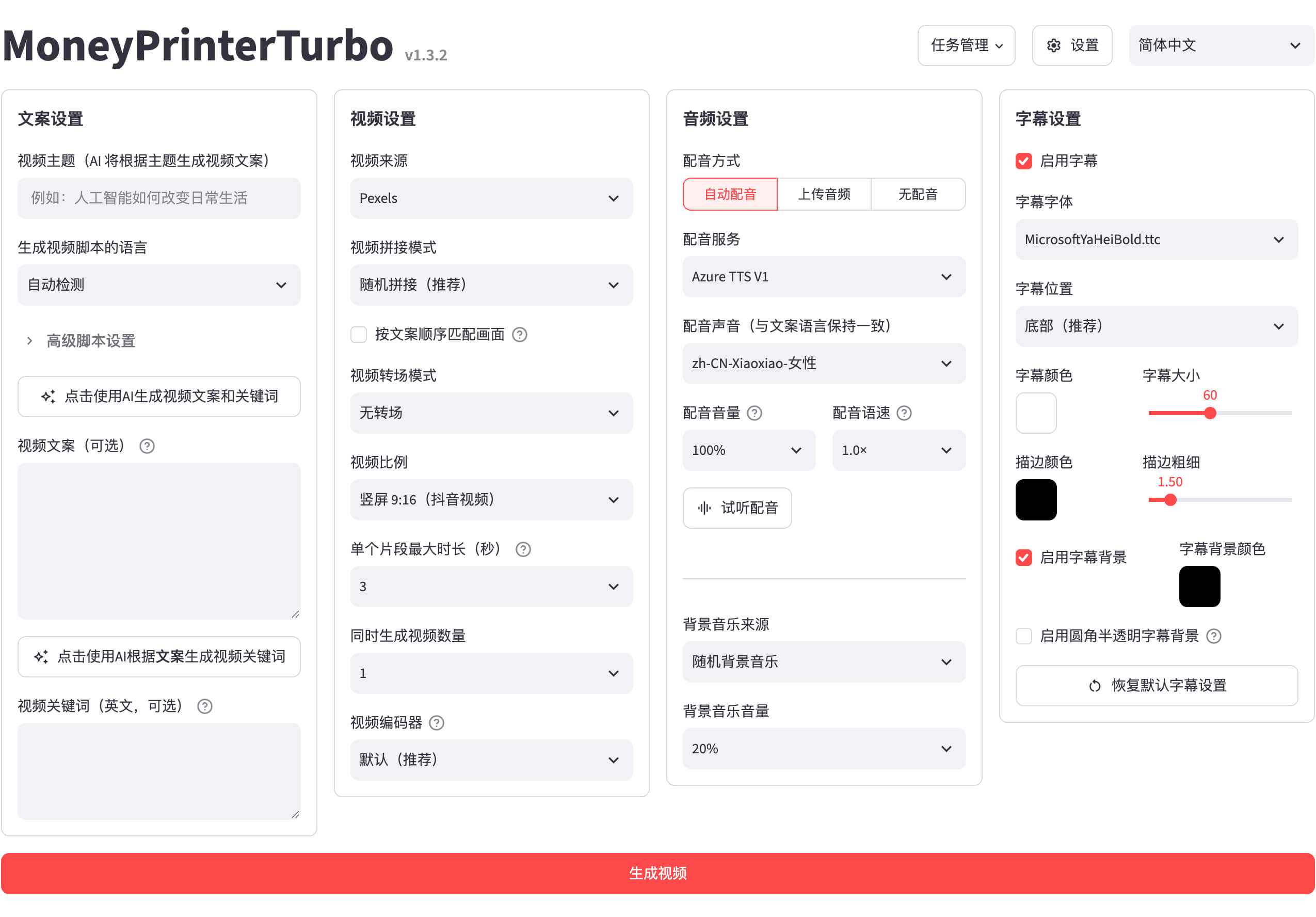
There’s a particular kind of open-source project that quietly becomes essential. MoneyPrinterTurbo is one of them. It has been around since March 2024, it has collected roughly 139,500 stars on GitHub, and it is trending on GitHub again today. The promise is simple enough to sound like a scam and useful enough that it isn’t: type in a topic, and the tool hands you back a finished short video.
What it actually does
MoneyPrinterTurbo is a one-stop AI short-video generator. You give it a topic or a few keywords, and it runs the whole pipeline itself: it writes the script, finds matching footage, generates the voiceover, adds subtitles and background music, and stitches it all into a finished video. The output comes in the three formats short video actually lives in — vertical 9:16 for TikTok and Shorts, horizontal 16:9, and square 1:1 — and when the video is done it can publish straight to TikTok, Instagram, and YouTube Shorts.
Under the hood it is a Python tool with four ways in: a web interface, an API, a command line, and even an AI-agent skill file you can hand to a coding assistant and let it do the setup for you. It plugs into just about every major AI model for the script — OpenAI, Claude, Gemini, DeepSeek, Kimi, and more, including local models through Ollama — and for the voice it supports everything from ElevenLabs down to Edge TTS, which is free and needs no API key at all. Footage comes from free stock libraries like Pexels and Pixabay, or it can generate its own clips with AI video models. It can also batch-generate a whole run of videos from a list of topics, which is the part that makes it interesting for anyone posting daily.
How to try it
The quickest route is the official Python package. With Python 3.11 or newer installed, it is two commands: python -m pip install mpt, then mpt webui, which opens the interface in your browser. Windows users who don’t want to touch a terminal can grab the one-click starter pack from the releases page instead — download the .7z file, run update.bat once, then start.bat. Docker users can pull the ready-made image, and there is a Google Colab option for trying it without installing anything at all. A GPU is not required; four gigabytes of RAM is the stated minimum, though the project notes that a decent CPU matters more than a graphics card if you are mostly using cloud services.
The catch, and it is an honest one: the tool itself is free and open source under the MIT license, but the AI services behind it mostly are not. The script, the voice, and the AI-generated footage each draw on API keys that cost money per use, and those costs add up if you batch-generate dozens of videos. The free Edge TTS voice and the free stock footage keep the bill at zero for a basic video, but the moment you want a premium voice or AI-generated scenes, you are paying per video. And a word of caution for anyone dreaming of a fully automated channel: platforms, YouTube included, have been tightening up on mass-produced AI videos, so treat this as a way to draft videos fast, then add your own editing and judgement before anything goes live.
Why it is trending now
Short video is still the cheapest way to reach an audience, and the boring parts — scripting, voicing, finding B-roll, timing subtitles — are exactly the parts this tool automates. That combination keeps pulling it back onto GitHub’s trending page, and the project is actively maintained, with 22 releases and more than a thousand commits behind it. It won’t make you a creator on its own. But if you already make videos, it takes the repetitive half of the job off your plate.
You can find the project, its full documentation, and the install links on GitHub at github.com/harry0703/MoneyPrinterTurbo.