Sherlock: Find Any Username Across 400+ Sites, Free
Type a username into Sherlock and, a few seconds later, you get a list of every corner of the internet where that name exists. GitHub, Reddit, Spotify, YouTube, Chess.com, Ko-fi, Trello, Snapchat — more than 400 sites in total, checked one by one, with a link to each profile it finds.
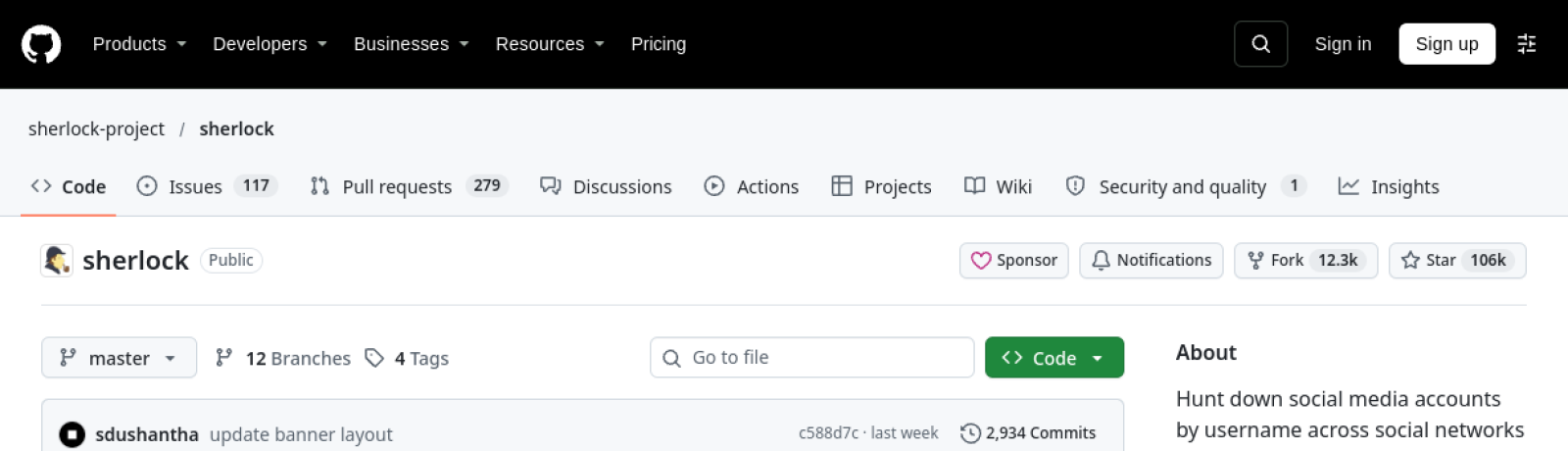
It is the kind of tool that sounds like it should cost money, require an account, or live behind a sales page. It is none of those things. Sherlock is free, open source, MIT-licensed, and it runs from your own terminal. That combination is why it is having a moment: the project picked up more than 4,200 stars in a single day this week, landing at number three on GitHub’s trending list, with over 106,000 stars in total.
What it actually does
Sherlock takes a username and checks it against a list of over 400 social networks and websites, then reports back with the profile URLs where that name is taken. The project’s own demo — one command, sherlock hackerman1337 — returns 29 results, from 9GAG to last.fm, each one a live link you can open.
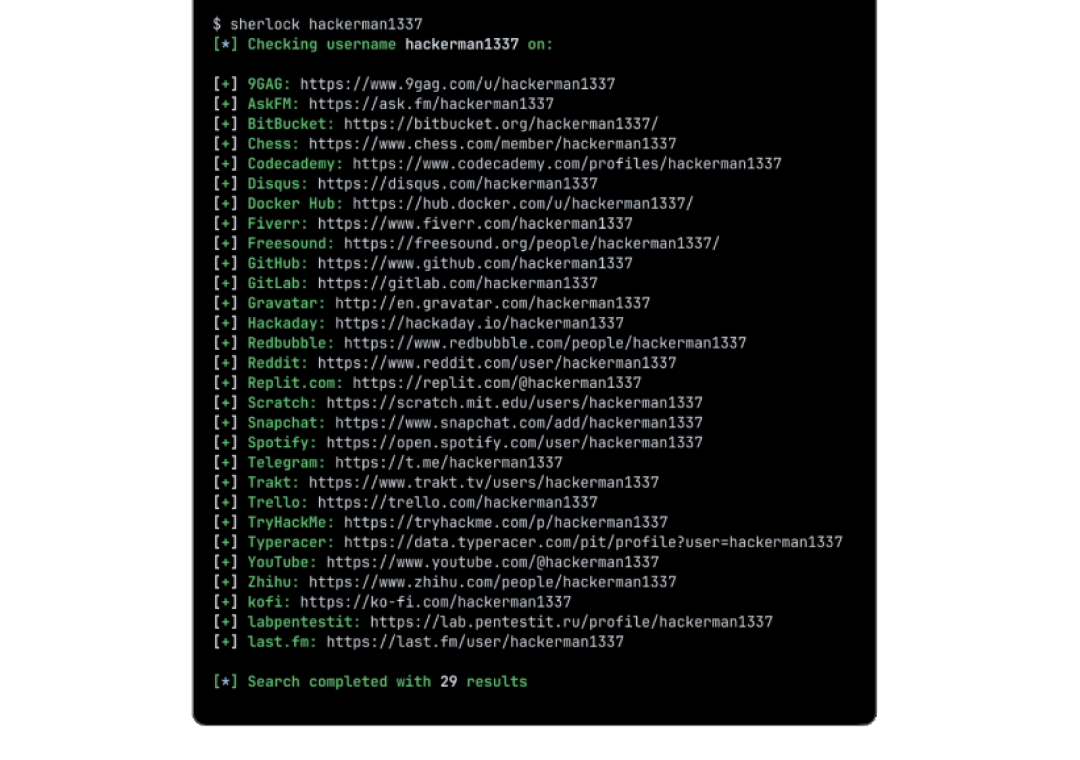
The results land in two places: printed in the terminal as they are found, and saved to a plain text file named after the username, so you can keep a record without copy-pasting. Feed it several usernames at once and it works through all of them. Add --csv or --xlsx and the output becomes a spreadsheet instead; --json gives you structured data for piping into other tools. --browse opens every result in your default browser, which is either convenient or overwhelming depending on how common the username is.
There is a quiet detail in the options list that tells you how seriously the project takes accuracy: --print-all shows every site checked, including the misses, while --print-found shows only the hits. The default is the hits. And there is an --nsfw flag that is off by default — the adult sites in the list are excluded unless you explicitly ask for them.
Who it is for
The obvious audience is OSINT — open-source intelligence — the journalists, researchers, and security professionals who need to know whether the same handle shows up on a forum, a code host, and a marketplace. A username is one of the few identifiers people reuse everywhere, and Sherlock exploits that habit in the open: it only checks public profile pages. It does not log in to anything, bypass any security, or access private data. If a profile is public, Sherlock can find it. If it is not, it cannot.
But the audience is wider than that, and more ordinary. Checking whether your own handle is taken before you commit to it on a new platform. Seeing how much of your digital footprint shares a single username. A small business checking whether a brand name is already in use across the sites that matter. A parent checking what a teenager’s gaming handle turns up. All of those are legitimate uses of exactly the same feature, and none of them require any technical knowledge beyond opening a terminal.
That is also why the tool comes with a responsibility the README does not spell out. Finding someone’s public profiles is not the same as having a right to use what you find. Sherlock will happily hand you the links; what you do with them — contacting someone, scraping their posts, building a dossier — is on you. A lookup is not a license.
Installing it takes about a minute
The recommended route is pipx, Python’s tool for installing command-line apps in their own isolated environment:
pipx install sherlock-projectIf you prefer containers, the Docker route is one command — docker run -it --rm sherlock/sherlock — and there is a dnf install sherlock-project option on Fedora-based systems. Community-maintained packages exist for Debian 13 and later, Ubuntu 22.10 and later, Homebrew, Kali, and BlackArch, though the project notes those are not directly supported or maintained by the Sherlock team.
One warning from the README is worth heeding before you install on Linux: packages for ParrotOS and Ubuntu 24.04, maintained by a third party, appear to be broken, and users of those systems are told to use pipx, pip, or Docker instead. It is a small thing, but it is the kind of honest maintenance note that tells you a project is actively looked after rather than abandoned — and the commit history backs that up, with nearly 3,000 commits and 284 contributors, the most recent changes landing within the last week.
The current release is v0.16.2, and the project is written almost entirely in Python — 97.3% of the codebase — which means anyone with basic Python knowledge can read the site list, add a site, or fix a broken check. That openness is part of the point: the list of 400-plus sites is a community-maintained file, and it only stays accurate because people keep updating it as sites change their profile URLs.
The honest limits
Sherlock is a lookup tool, not a search engine, and its limits are the kind that matter once you start relying on it.
First, a hit is not a confirmation. If a username exists on a site, Sherlock reports it — but it cannot tell you whether the account belongs to the person you are looking for. Common names produce false positives by design; “john” exists on nearly every site on the list, and none of those profiles is necessarily the same John. The tool finds names. Identity is still your job.
Second, sites change. A platform that redesigns its profile pages or starts blocking automated checks will quietly stop returning results until someone updates the site definition. The project’s test suite and contributor base keep this mostly in check, but a result list is always a snapshot of what the tool could verify on that day, not a guarantee.
Third, speed depends on the network. Sherlock checks sites one at a time with a default 60-second timeout per request, and a full run across 400 sites takes a while — minutes, not seconds, on a slow connection. There are options to narrow the list to specific sites, which is the practical answer if you only care about a dozen platforms.
And fourth, the obvious one: Sherlock only finds what is public. A private account, a deleted profile, or a username that was never registered simply does not show up, and the tool will not tell you why. Absence of a result is not evidence of absence.
Why it is trending now
Sherlock is not new — it has been accumulating stars since 2018, and its star history shows a steady climb rather than a single viral spike. What today looks like is a rediscovery: AI-agent tooling dominates GitHub trending this week, and Sherlock is the kind of small, sharp, do-one-thing-well utility that agent builders keep reaching for. It does one job, it does it from the command line, and its output is a plain list of URLs — exactly the shape of result an agent, or a human, can use immediately.
That is probably the best way to think about it. Not as a hacking tool, and not as a surveillance product, but as a very fast way to answer a very simple question: where does this username live? Try it on your own handle first. The results might surprise you — and that, more than anything, is the point.
Screenshot: github.com/sherlock-project/sherlock
Also today: NVIDIA Stock Falls as Board Probes Jensen Huang and Claude Personal Finance: Link Your Bank to Claude — and What It Can’t Do.
Related: Google Skills: 186 Free Agent Skills for Google Cloud · Agent-Browser: The CLI That Gives AI Agents a Browser · Cloudflare Security Audit Skill: Free AI Code Auditor