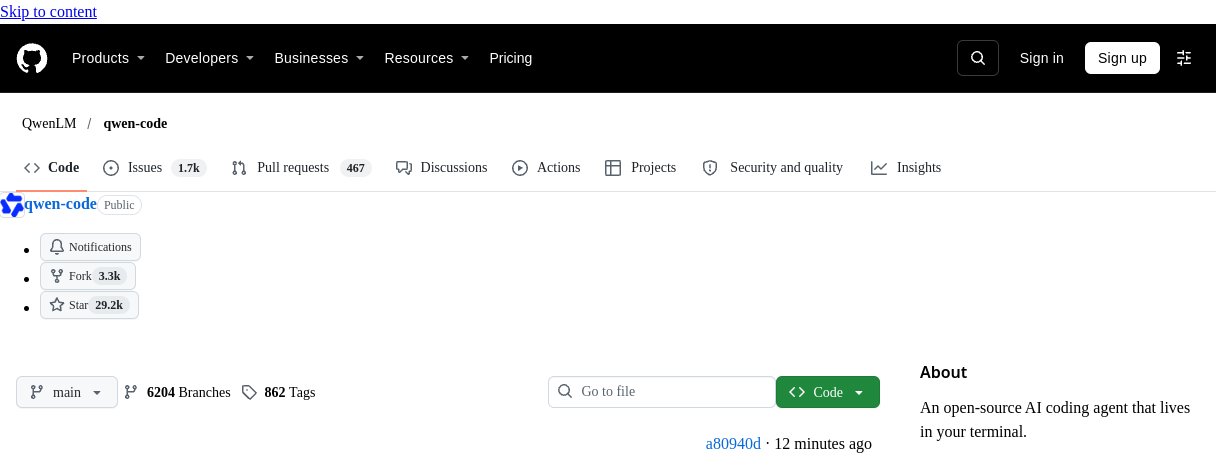
If you have used an AI coding agent at all this year, you have probably used one that lives in a terminal. Claude Code set the pattern, Codex and Gemini CLI followed, and now Alibaba’s Qwen Code has climbed GitHub’s trending list by doing the same job with a different pitch: the agent itself is free and open source, it is not locked to one company’s models, and it runs just about everywhere — terminal, editor, desktop app, web UI, and even chat apps. As of today it has around 30,000 stars and 3,400 forks, with roughly 460,000 npm downloads a month, and the README currently carries a “#2 Repository of the Day” trending badge. It is the kind of tool that earns a bookmark the moment you read the feature list, so the useful question is the boring one: what does it actually cost to run, and what is it like to use?
What it is
Qwen Code is an open-source AI coding agent that lives in your terminal, built by Alibaba’s Qwen team and released under the Apache 2.0 license. The project started from Google’s Gemini CLI v0.8.2 — the README says so plainly — and diverged from version 0.1 into an independent, multi-protocol agent framework with deep integrations for Qwen’s own models. The current npm release is v0.27.2, and a Qwen Code 1.0 Preview is now available that folds in the agent harness from Qoder, Alibaba’s other coding tool.
The headline idea is that the agent is model-agnostic. It supports OpenAI, Anthropic, Gemini, and Qwen APIs, plus any third-party OpenAI-compatible provider or a local model through Ollama or vLLM, and you can switch providers at runtime. The framework and the Qwen models are both open source, which the project presents as the opposite of vendor lock-in: if you do not like one provider’s pricing or behaviour, you point the same agent at another one. That is the real selling point here, more than any single feature. Most coding agents are a front door to one company’s model. This one is a front door to whichever model you choose.

Installing it and running your first session
Installation takes about a minute. With Node.js 22 or newer, the npm route is `npm install -g @qwen-code/qwen-code@latest`; Homebrew users can run `brew install qwen-code`. There is also a standalone install script for Linux and macOS and a PowerShell one-liner for Windows. Then you open a terminal in your project, type `qwen`, and run `/auth` to choose how the agent connects to a model: sign in with a Qwen account subscription, or configure a provider with an API key.
That auth step is where the “free” label needs its first footnote. The CLI itself costs nothing — it is open source, and nobody charges you for the binary. You pay for the model it calls. There are three ways to do that. Sign in with a Qwen Plus or Pro subscription from chat.qwen.ai, and usage counts against that subscription. Buy Alibaba Cloud’s Coding Plan Pro at $50 a month, which covers up to 6,000 requests in any rolling five hours, 45,000 a week, and 90,000 a month (the cheaper Lite tier stopped taking new subscribers in March 2026). Or bring your own Model Studio API key and pay per token — from $0.30 per million input tokens and $1.50 per million output on qwen3-coder-flash for short requests. New Model Studio accounts in the Singapore region also get a trial quota of about a million tokens per eligible model for 90 days. Qwen does not publish the Plus and Pro subscription prices in its docs, so check chat.qwen.ai before assuming the OAuth route is the cheap one.
Once you are in, the first prompt is the usual test drive: “Explain this repository and show me where to start.” From there it behaves like the terminal agents you already know — reading files, tracing code, planning next steps, editing with your approval — but the feature list underneath is unusually deep.
The agent harness is the actual product
Strip away the install story and Qwen Code is really a bundle of agent machinery. SubAgents delegate focused subtasks with their own context and toolsets. Agent Teams, still experimental, let a leader coordinate teammates that share a task list. Agent Arena runs the same task on multiple models in isolated Git worktrees and lets you compare the solutions side by side before merging the winner. Dynamic Workflows let the model write JavaScript workflows that orchestrate agents with parallel fan-out and verification passes. A `/goal` command keeps the session working until an independent verifier accepts the outcome, and `/loop` plus cron tools re-run prompts on a schedule.
Memory and skills get the same treatment. Auto-Memory means the agent writes its own notes and recalls them across sessions, and your `QWEN.md` and `AGENTS.md` briefings load automatically. Built-in skills like `/review`, `/bugfix`, and `/batch` work out of the box, `/learn` distills docs or code into new skills, and the agent can generate skills on its own if you opt in. Sessions can be resumed, renamed, and archived. Hooks run your own scripts at lifecycle events. MCP support connects any Model Context Protocol server, and there is experimental native language-server integration for go-to-definition, references, and diagnostics.
Then there is the part most terminal agents do not have: the same agent beyond the terminal. There are IDE plugins for VS Code, Zed, and JetBrains, a desktop app for macOS, Windows, and Linux, an experimental web UI (`qwen serve –open`), and chat integrations for Telegram, DingTalk, WeChat, and Feishu. Headless mode runs `qwen -p “…”` in scripts and CI, SDKs exist for TypeScript, Python, and Java, and a daemon mode keeps long-lived sessions that browser, editor, and automation clients can share over HTTP and SSE.
The numbers, and the caveats that come with them
On SWE-bench Verified, the project reports seven Qwen Code versions scoring between 76.40 and 77.80 percent on average using the same Qwen 3.7 Max model, over 500 tasks with three trials per version. That is a strong result if you take it at face value — but it is the project’s own evaluation, run on its own model, and it should be read as the project’s claim rather than an independent benchmark. The repo’s 12,480 commits and 840 releases suggest a project that ships constantly, which cuts both ways: features arrive fast, and so do breaking changes. The 1.0 Preview is explicitly a preview.
Two caveats deserve to be stated plainly. First, daemon mode listens on loopback without a bearer token by default, and the README itself warns that any local process that can reach it can use the full API, including code execution. On a shared or untrusted host, set `QWEN_SERVER_TOKEN` and use `–require-auth` before you run `qwen serve`. Second, the multi-model freedom is real, but it is also a cost decision you now have to make yourself: the same agent can burn through a $50 flat-rate plan, a Qwen subscription, or per-token API billing, and the cheapest route depends entirely on how much you use it. The tool does not choose for you.
There is also the usual agent-safety fine print. Plan Mode lets you review a read-only plan before anything is edited, and approval modes range from per-call confirmation to auto-edit to YOLO. Sandboxing and Git worktrees confine wide-ranging edits. None of that removes the need to review diffs before they land in your main branch — an agent that can run shell commands and edit files is powerful precisely because it can also do damage quickly.
Who it is for
Qwen Code makes the most sense for developers who already live in a terminal agent and want out of a single-vendor relationship — or who want to try a capable agent without paying a monthly subscription for the tool itself. It is also a natural fit for teams already using Qwen models, and for anyone who wants the same agent in the terminal, the editor, and a desktop app without learning three tools. If you want a polished, single-model, fully managed experience with one bill and one support channel, the commercial agents still have the edge; Qwen Code trades some of that polish for openness and choice.
Compared with the other agent tools this series has covered — agent-browser, which gives agents a browser; Codex Security, OpenAI’s vulnerability scanner; and Open Code Review, Alibaba’s own code reviewer — Qwen Code is the general-purpose one. The others do one job. This one is the workshop.
If you have been waiting for a free, open coding agent that does not tie you to one model, this is the most credible option on GitHub’s trending page right now. Install it with npm, sign in with a subscription or an API key, and let it explain a repository you already know. That first session will tell you more than any feature list — including this one — about whether it earns a place in your workflow.
Also today: Jensen Huang resigns as NVIDIA CEO — Colette Kress takes over and Gemini 4 Hydrogen: Google’s fast AI model, price & speed.