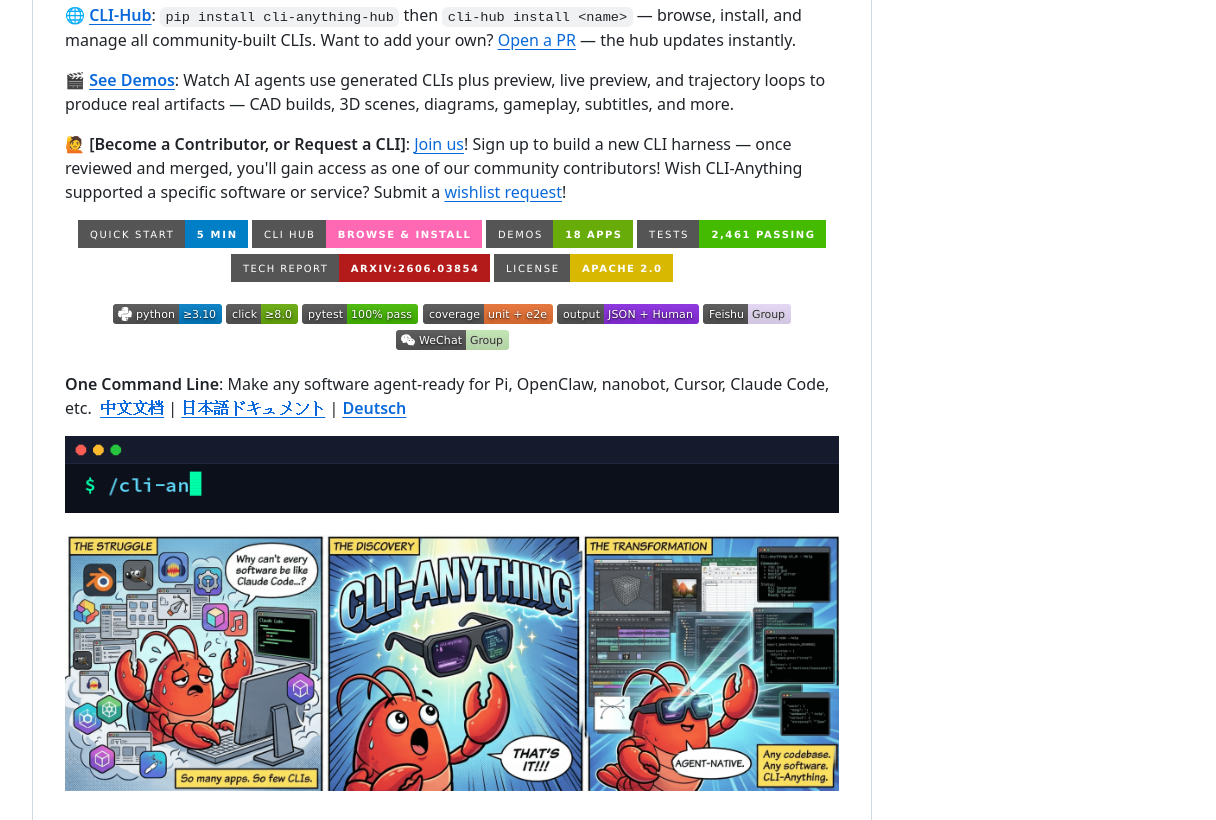
Your AI coding agent can write code, run tests and open pull requests. What it cannot do, for the most part, is drive the software on your computer — open Blender and build a 3D scene, open FreeCAD and model a part, open GIMP and batch-process a folder of images. Those programs have graphical interfaces built for human hands, and agents don’t have hands. They have text.
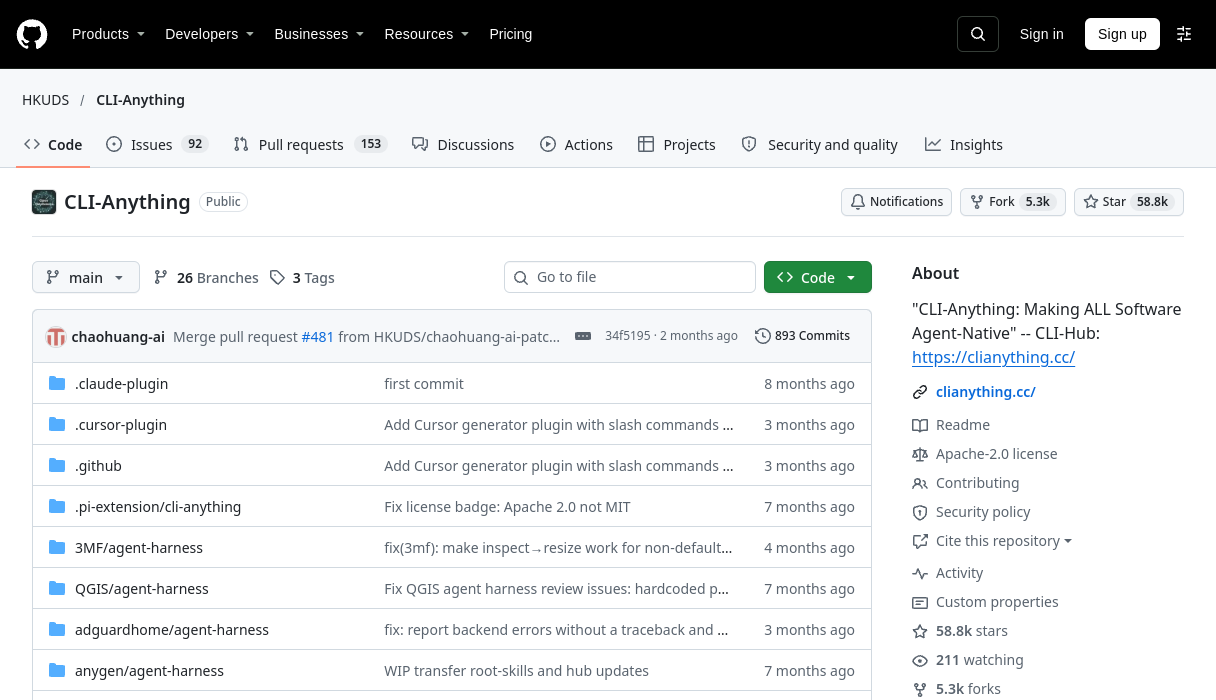
CLI-Anything exists to close that gap. It is a free, open-source project from HKUDS — the University of Hong Kong’s data science group — that turns ordinary desktop and backend software into command-line tools an AI agent can actually use. It is the third most-trending repository on GitHub today, with about 62,400 stars, and it is the most practical thing in this week’s trending list: not a model, not a methodology, but a way to make the software you already own work with the agents you already use.
The problem it solves
The README states the problem in one line: “Today’s software serves humans. Tomorrow’s users will be agents.” A command line is, as the project puts it, the universal interface for both humans and AI agents — text commands match how language models think, they chain into complex workflows, they produce structured JSON output that an agent can parse reliably, and they run the same way every time.
The alternative — a GUI agent that moves a mouse and reads screenshots — is fragile by comparison. It breaks when a button moves, it can’t be scripted, and it burns through tokens on every screen. CLI-Anything’s bet is that the right fix is not a smarter screen-reader but a real command line for each piece of software, built properly, with tests.
Two ways in: use a CLI, or build one
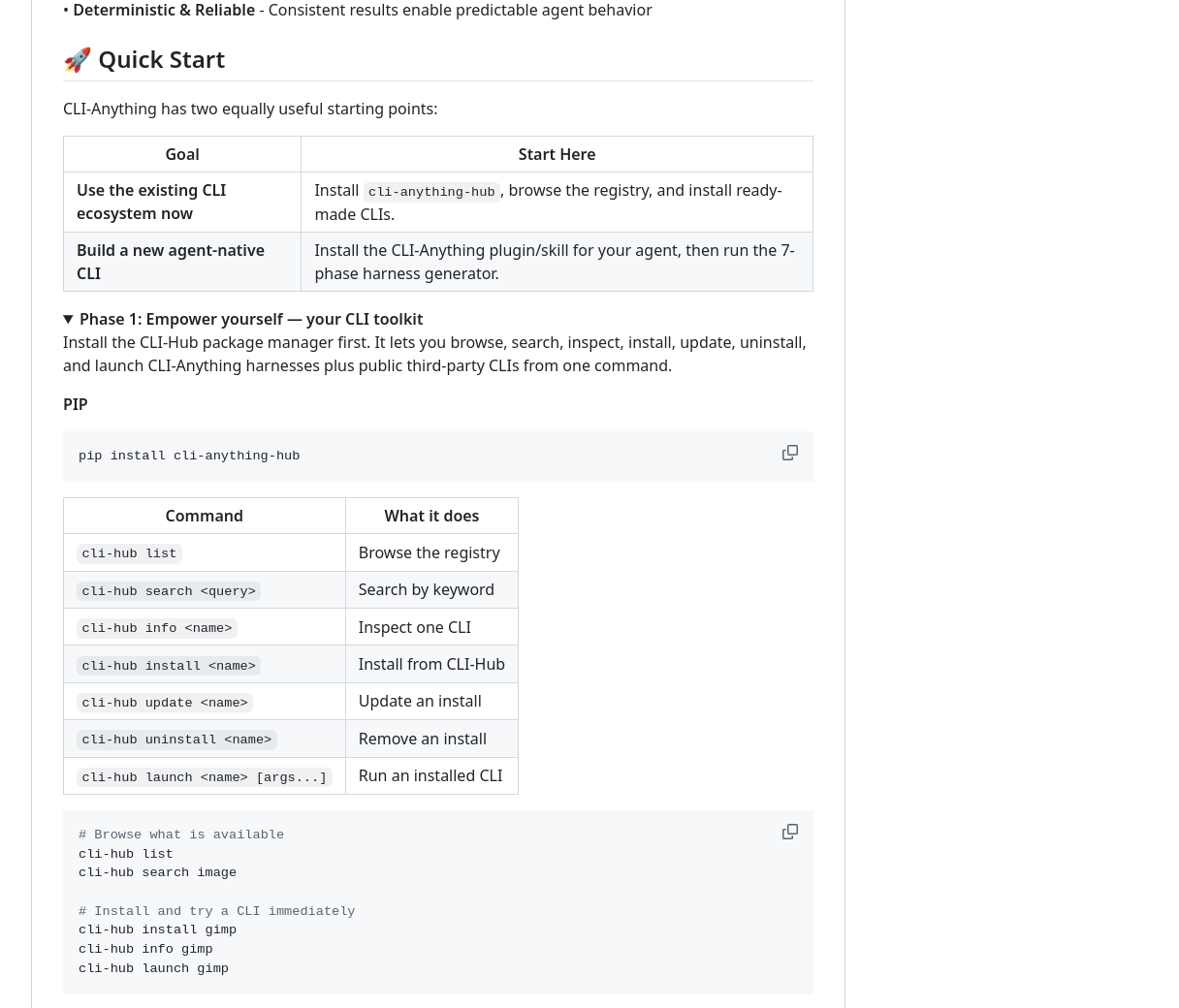
The project has two equally useful starting points, and most people will only ever need the first. CLI-Hub is a package manager for ready-made CLIs: install it with pip install cli-anything-hub, then browse the registry with cli-hub list and cli-hub search, inspect one with cli-hub info, and install it with cli-hub install <name>. The registry already covers more than 80 applications — Blender, GIMP, FreeCAD, LibreOffice, Obsidian, QGIS, Godot, Audacity, Kdenlive, Krita, Inkscape, n8n, Ollama and many more — and the hub updates instantly when a new one is merged. There is also a meta-skill for agents themselves, installable with npx skills add HKUDS/CLI-Anything --skill cli-hub-meta-skill -g -y, so an agent can discover and install the right CLI for a task on its own.
The second starting point is the generator. If the software you need isn’t in the registry — a codebase, an internal tool, a niche application — the CLI-Anything plugin for your agent builds a new CLI for it. It works with Claude Code, Cursor, Codex, Pi, OpenClaw, OpenCode, Goose, Qoder, Hermes, Reasonix and GitHub Copilot CLI, and the canonical command is /cli-anything ./gimp: point it at a piece of software and it runs a seven-phase pipeline — Analyze, Design, Implement, Plan Tests, Write Tests, Document, Publish — that scans the source code, maps GUI actions to APIs, builds a Click-based CLI with REPL mode and JSON output, writes a test suite, and installs the result to your PATH. A refine command then closes gaps iteratively: /cli-anything:refine ./gimp "I want more CLIs on image batch processing and filters".
What agents actually do with it
The demos section is the most convincing part of the README, because it shows finished artifacts rather than promises. An agent used a generated FreeCAD CLI to model a Curiosity Rover, a Blender CLI to build an orbital relay drone scene, a Draw.io CLI to draw an HTTPS handshake diagram, a VideoCaptioner CLI to generate subtitles automatically, and an ArcGIS Pro CLI to do live agent cartography through an MCP bridge. There is even a Slay the Spire II harness for game automation. The project badges claim 18 demo apps and 2,461 tests passing — both are the project’s own figures, not independent verification, but the demos themselves are recorded and watchable from the README.
The pitch goes further than single commands. Because a CLI is deterministic and scriptable, an agent can run preview, live-preview and trajectory loops: generate something, look at the result, adjust, and repeat until it is right. That is the workflow the project is really selling — not “an agent that can type into Blender” but “an agent that can iterate on a Blender model the way a developer iterates on code.”
What it costs
CLI-Anything itself is free under the Apache 2.0 license. There is no paid tier, no API key for the project itself, and the code is on GitHub under HKUDS/CLI-Anything, created in March 2026, with 893 commits and three releases so far. The real cost is the same as every agent tool: the model usage behind it. Every command an agent runs, every refinement loop, every test it writes is billed through whatever coding agent you use — Claude Code, Cursor, Codex or the rest. And some of the software a CLI wraps is commercial: ArcGIS Pro and Rekordbox, for example, need their own licences. The CLI is free; the thing it drives may not be.
There are practical requirements too. You need Python 3.10 or newer, and the generated CLIs are built on Click. Windows users get a specific note in the README: Claude Code runs shell commands through bash, so on Windows you need Git for Windows (which includes bash) or WSL, or commands may fail. That is the kind of honest platform note that suggests the project has actually been used on Windows rather than merely tested there.
The honest caveat
Three things are worth knowing before you install it. First, a generated CLI is only as good as the software underneath it and the tests the generator wrote — the 2,461 passing tests are the project’s own count, and harness quality will vary across 80-plus applications. Start with the well-trodden ones (Blender, GIMP, LibreOffice) before trusting a generated CLI with something irreplaceable. Second, several platform integrations are labelled experimental or community-maintained — OpenCode, Goose, Qoder, Hermes and Reasonix — so expect rough edges outside the Claude Code path. Third, the project moves fast and its documentation lags in places: the README’s own news log stops at May 30, 2026, even though commits continued after that. Check the live repository, not a six-month-old summary, before relying on any specific claim.
It is also worth saying what CLI-Anything is not. It is not another agent skill bundle — we covered Superpowers, the skills-and-methodology framework, on November 19 — and it is not a frontend protocol like AG-UI, covered on November 16, or a catalog like Google Skills from November 6. Those projects tell an agent how to work. CLI-Anything gives an agent something to work with: a real command line for real software. That is a smaller, more concrete promise, and it is the reason it is worth your time.
If you use Claude Code, Cursor or Codex and you have ever wished your agent could do more than edit text files, start with CLI-Hub: one pip install, one cli-hub install gimp, and your agent can batch-process images before lunch. The repository is at github.com/HKUDS/CLI-Anything.
Also today: GTA 6 players on Xbox are getting two-day bans for clips the console uploads by itself — here is the one setting to change, and Xiaomi’s 18 Pro and 18 Pro Max are finally on sale outside China — dual 200MP cameras, a rear display, and prices from €1,399.
Related: Superpowers, the 322K-star framework for coding agents, AG-UI, the free standard connecting agents to apps, Qwen Code, the free AI coding agent for your terminal, and Google Skills, 186 free agent skills for Google Cloud.